
You are on lesson 2 of 11 in the course Path 1: Captions.
Module 1.1: Live vs. Prerecorded: Different Workflows, Same Goal
What you'll learn: This article explains the distinction between WCAG 1.2.2 (prerecorded captions) and WCAG 1.2.4 (live captions), helping you understand why these requirements differ and how to build workflows that address both types effectively.
When you're planning video accessibility, one of the first questions to ask is: Are we captioning live content or prerecorded content? The answer shapes your technology setup and review process. WCAG 2.1 creates two separate success criteria, each tailored to the unique challenges of real-time and post-production workflows.
The WCAG requirements
Success Criterion 1.2.2 Captions (Prerecorded) (Level A) states: "Captions are provided for all prerecorded audio content in synchronized media, except when the media is a media alternative for text and is clearly labeled as such."
Success Criterion 1.2.4 Captions (Live) (Level AA) states: "Captions are provided for all live audio content in synchronized media."
In plain language, this means every video with audio needs captions—whether that video is live-streamed or uploaded after production. The distinction between these criteria isn't about whether captions are required (they always are), but about the different processes and quality standards that apply to real-time versus post-production captioning.
Why WCAG separates live and prerecorded captions
WCAG 1.2.2 (Captions for Prerecorded Audio) and WCAG 1.2.4 (Captions for Live Audio) both require captions for video with synchronized audio. The distinction reflects technical differences between captioning recorded content versus real-time events, serving people who are deaf or hard of hearing, non-native English speakers, and anyone benefiting from text-based audio access.
Prerecorded content gives you time to review, research terms, and correct errors before publication. Live content demands captions within seconds, even when speakers overlap or audio quality drops. WCAG acknowledges that perfect real-time accuracy is unrealistic, while prerecorded content allows for higher standards.
What changes between live and prerecorded workflows
The technical requirements don't change much—both require synchronized text alternatives for all audio content. What changes is how you meet those requirements and what quality standards are realistic.
Factor | Live captions (WCAG 1.2.4) | Prerecorded captions (WCAG 1.2.2) |
|---|---|---|
Compliance level | Level AA | Level A |
Timing requirement | Captions must appear within 2-3 seconds of speech | No timing constraint during production |
Expected accuracy | 85-95% accuracy is realistic for fast-paced meetings | 99%+ accuracy is achievable with review |
Correction opportunity | Limited—corrections happen after the fact in archives | Full editing capability before publication |
Typical use cases | City council meetings, public hearings, and press conferences | Archived meetings, training videos, announcements |
The distinction matters for compliance deadlines too. Under ADA Title II, larger public entities must meet both criteria by April 26, 2027—reflecting how important real-time access has become since the shift to virtual and hybrid meetings.
How live and prerecorded workflows differ in practice
The technical infrastructure for live and prerecorded captioning looks quite different, even though both produce synchronized text alongside video content.
Live captioning workflow
Live captioning happens in real time during an event. Your system captures audio, converts it to text, and displays captions with 2-3 seconds delay. This requires dedicated hardware or software connected to your audio source—typically the mixing board or direct microphone feed.
The system processes audio as it arrives, applying vocabulary customization and speaker identification when possible. Quality control happens after the event, when staff review auto-generated captions and make corrections for the permanent archive.
You can't stop and fix errors during live events. If the system doesn't recognize an acronym or multiple people speak simultaneously, the live captions will contain errors. That's acceptable for WCAG 1.2.4 compliance, provided you're using appropriate technology and making reasonable efforts to improve accuracy.
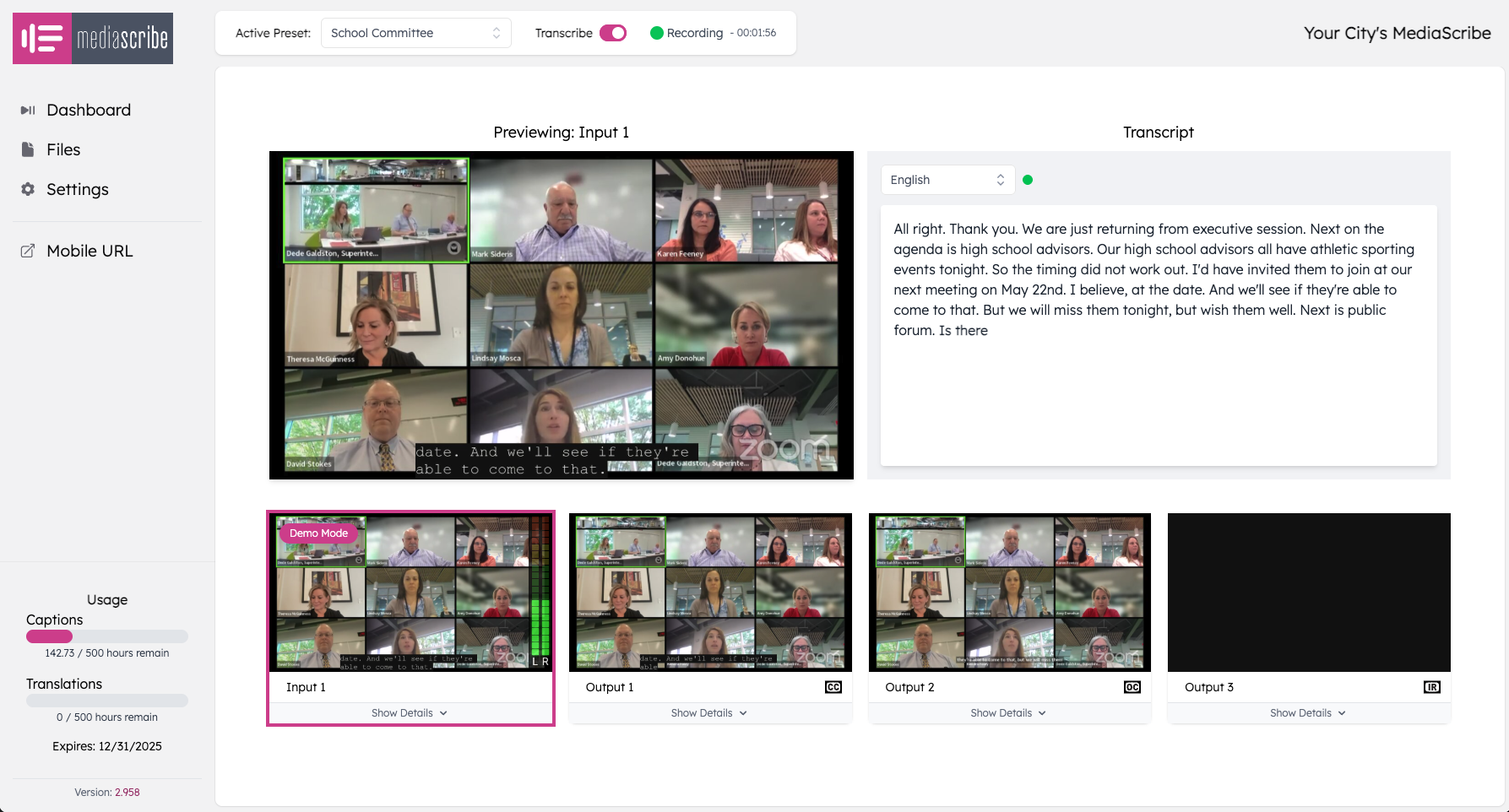
Figure 1: MediaScribe receives live audio via SDI cable and generates real-time captions with 2-3 second latency
While live captions use automated speech recognition, staff should review archived captions after each meeting to correct errors before permanent publication. This ensures your archived content meets the higher accuracy standards expected for prerecorded material.
Prerecorded captioning workflow
Prerecorded captioning happens after content creation and before publication. You start with a complete video file, generate or import captions, then edit until they meet quality standards. There's no time pressure—you can spend hours or days perfecting captions.
The workflow involves uploading the video, reviewing auto-generated captions line by line, correcting transcription or timing errors, adding speaker identification, and describing non-speech audio. Custom vocabularies help get proper nouns and technical terms right initially.
Without urgency, prerecorded captions should meet higher accuracy standards—99% or better is achievable with review. This makes them suitable for content representing your organization formally: policy announcements, instructional videos, or official statements.
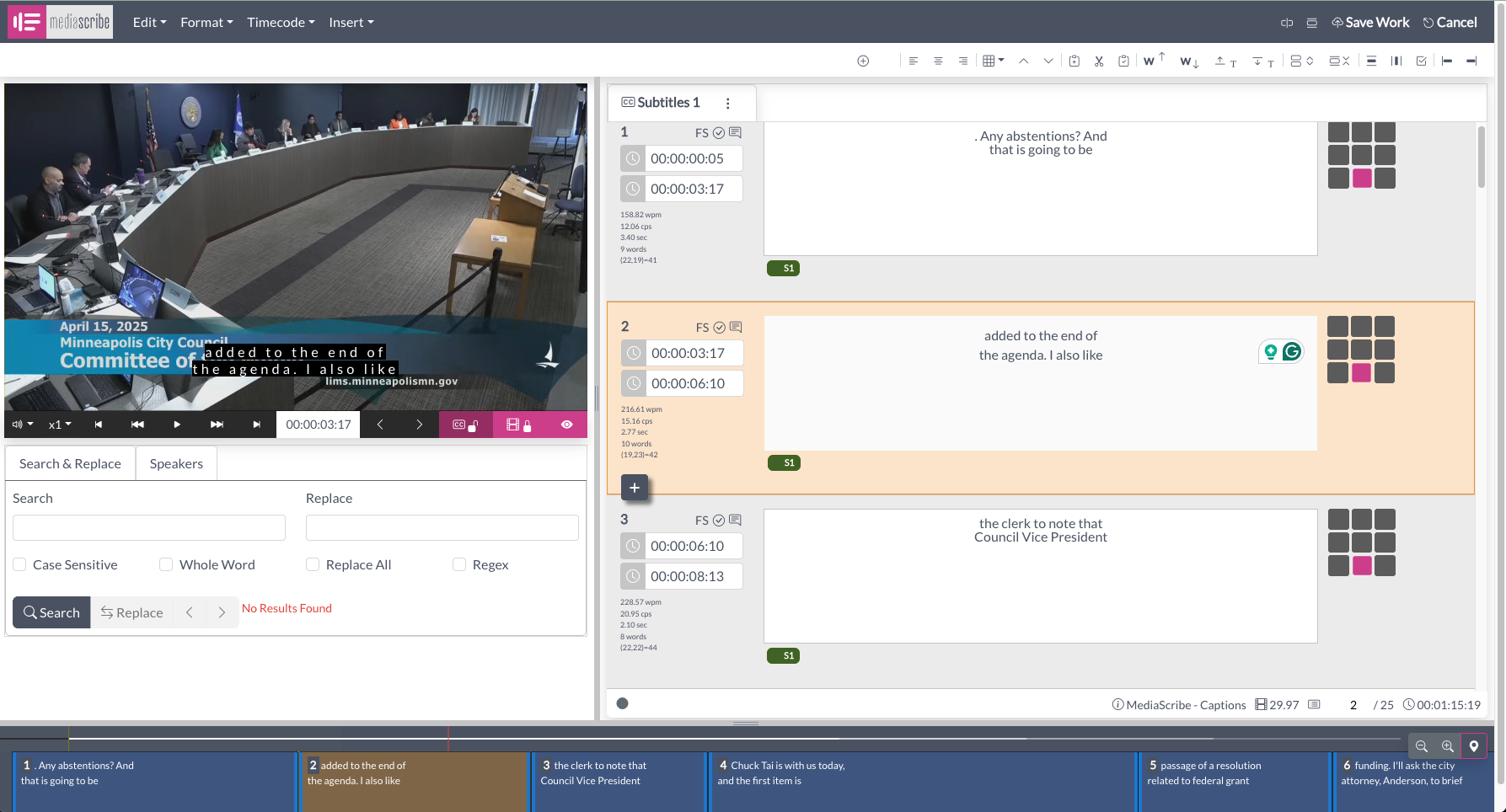
Figure 2: The MediaScribe Caption Editor allows staff to review and refine captions before publishing archived videos
When each type applies to your content
Live content (WCAG 1.2.4) applies when audio is broadcast or streamed in real time. This includes city council meetings streamed on your website, live press conferences, virtual town halls, and webinars. Viewers experience the event as it unfolds, not watching a recording.
Prerecorded content (WCAG 1.2.2) applies to everything else—videos produced in advance, meetings recorded for later viewing, archived content, and training materials. Once a live event ends, it becomes prerecorded content.
Many organizations maintain both a live stream and an archive. Provide captions during the live event (meeting WCAG 1.2.4), then edit those captions for the archived version (meeting WCAG 1.2.2). Live captions fulfill real-time access requirements. Edited archive captions provide high-accuracy text records supporting transparency and public records requests.
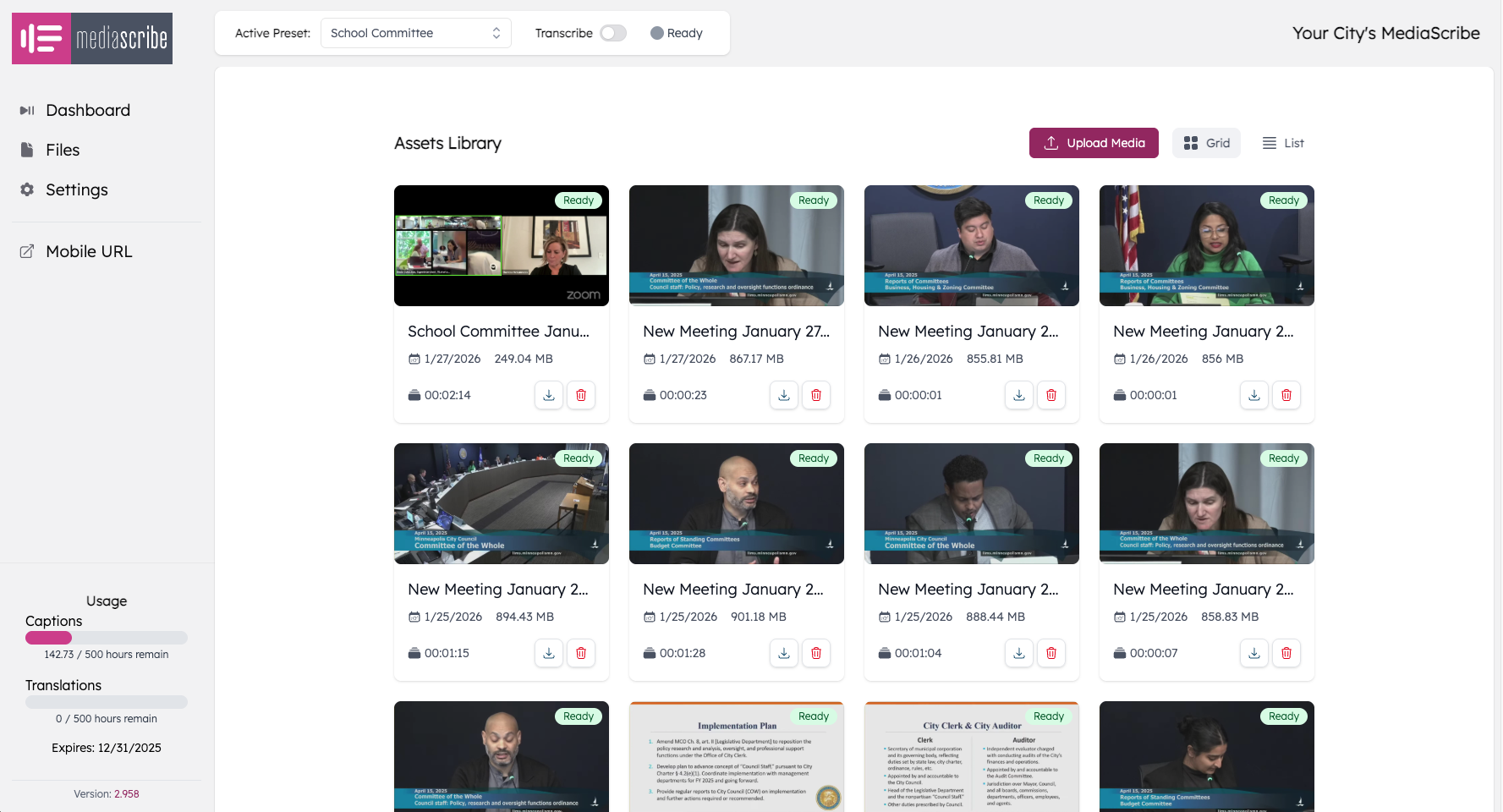
Figure 3: Staff access archived meetings through the MediaScribe interface to review and edit captions for final publication
Planning your captioning approach
Most government agencies need both live and prerecorded captioning capabilities. Rather than treating these as separate projects, build workflows that support both.
Start with your live events—these have the tightest compliance timeline and require dedicated hardware or platform integration. Once you have reliable live captioning, your prerecorded workflow can build on the same technology. Many systems that provide live captions also generate editable caption files for archived content.
Consider which staff members handle each type. Live captions typically require technical setup by IT or communications staff, while caption editing for archives might fall to clerks or administrative staff. Document clear workflows to ensure consistent attention to both content types.
MediaScribe integration
MediaScribe handles both live and prerecorded captioning workflows using a single hardware appliance connected to your meeting room's audio system. During live meetings, MediaScribe generates real-time captions that appear on screens and in your video stream, meeting WCAG 1.2.4 requirements immediately. After meetings end, staff use the Caption Editor to review and improve captions before publishing archived video, ensuring WCAG 1.2.2 compliance.
The system maintains separate caption files for live output and final archives, giving you flexibility to meet both WCAG requirements without duplicating setup effort. Staff edit captions in the web-based interface, with changes synchronized across all platforms.
Summary
Key takeaways:
WCAG separates live (1.2.4, Level AA) and prerecorded (1.2.2, Level A) captions because technical requirements and quality expectations differ significantly
Live captions must appear within 2-3 seconds during real-time events, with 85-95% accuracy being realistic given the constraints of real-time processing
Prerecorded captions can be edited thoroughly before publication, achieving 99%+ accuracy through careful review and correction
Most government agencies need both types—live captions during meetings to meet real-time access requirements, plus high-accuracy captions for archived content
Under ADA Title II, larger public entities must meet both requirements by April 26, 2027
Building efficient workflows that handle both types helps organizations meet accessibility requirements consistently while managing staff time effectively
The same content often requires both treatments: live captions during the event, then edited captions for the permanent archive