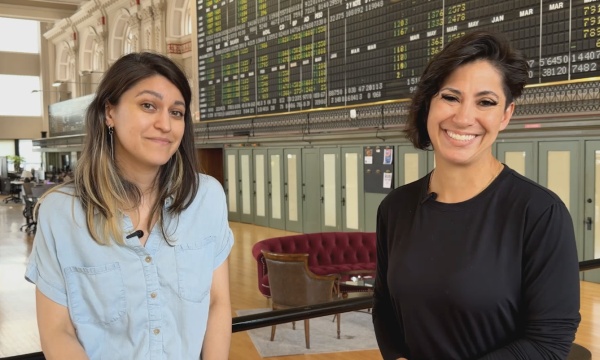
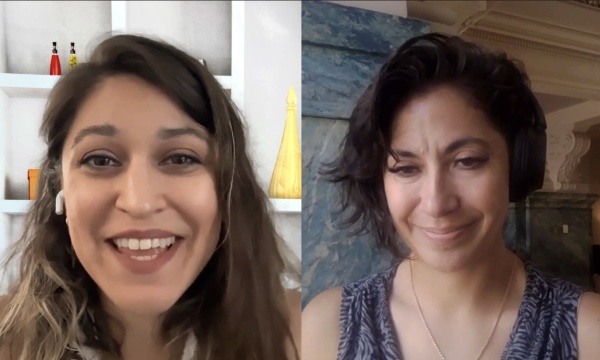
When people ask us why should we care about accessibility, my answer is we're a government. We don't get to choose who uses our information and services. Everyone deserves equivalent access. This podcast is for city communications, teams and video professionals in government. We talk about expanding service delivery with video and streaming, media accessibility, gear, broadcast and streaming workflows and more. It's all right here on the Government Video Podcast. Hello everyone and welcome back to the Government Video Podcast, where we explore how local governments and community media centers use video and streaming to better serve their residents. My name is Dana Healy, and I'm your host for today. So lately we've really been diving into accessibility and today's conversation couldn't be more timely. The clock's really ticking towards the April, 2026 deadline for ADA Title II. So a change that's going to impact everybody in public agencies and beyond. And for many, we've heard directly from you that this is more of a, more than just a compliance shift. This is now a cultural and operational shift that will shape how government communicates and serves its residents for years to come. So to help us unpack all of this, I'm joined by someone who has been leading this work for over a decade, and Jay Wyant from the State of Minnesota is the Chief Information Accessibility Officer that's gonna really help us guide through all of this. So Jay, thanks so much for joining me. I'm really excited to have you here. Thank you for having me. I appreciate your invitation. So for those that aren't familiar with your background, Jay, can you give us a quick snapshot of your role and how you came to lead accessibility for the state of Minnesota? Sure. I'm happy to do that. So first of all, before 2009, there were a group of residents and other people in Minnesota who were very concerned about whether the state of Minnesota was accessible or not. So they worked with the legislator to pass a law in 2009 that told that, basically said that the state CIO or Chief Information Officer shall create an accessibility standard and that it shall consist of two key components, section 508, which is federal procurement law and something called Web Content Accessibility Guidelines or WCAG 2.0. So the legislator put this into a law and handed it off to the state. Then in 2010, just one year later, after a work group got together and did a lot of work, they wrote up this standard with the state digital accessibility standard that would require, and all agencies were required by law to follow this standard. And so they passed the standard so it's been around for 15 years now. Then after they made the standard, they said, okay, now what, how do we manage that? How do we get that going? So the legislator went back to work, passed another statute that said there shall be a role called the Chief Information Accessibility Officer or CIAO and that shall manage and implement the standard. And so they created a position for that and I was hired in 2012 to fulfill that role and been fortunate to be in that role ever since then. And by the way, I just found out kind of interesting, i'm one of only three statutory positions for Minnesota IT services or MNIT. The commissioner, the security guy and me. So kind of cool. Yeah. That's awesome. So. Before we get into all the details of "Wicag" WCAG, can you explain to our watchers and our listeners why does it matter to government agencies right now and what's specific around WCAG do they need to pay attention to? The analogy I use is, you know, when you uh, plug in a lamp or your computer into a wall socket, you don't think to yourself, does this plug actually work with this socket? Will they be compatible? You don't ask that kind of question. You are confident that whoever built the lamp socket or lamp plug or the computer plug and whoever couldn't install that socket were following the right standard so that they would fit together. That's created by certain national and international bodies that make these standards for the manufacturer to follow. There's a similar thing for digital technology, and that's called the Worldwide Web Consortium or W3C and they are an international organization. They're people who work who um, contribute to the W3C or members of all the corporations. Every single major technical corporation have people who work on committees and a lot of volunteers, a lot of non profit, some people in the states technical aspect, they all do that. So things like we look at your browser, you see the HTTP in front of, or HTTPS that's kind of owned by the W3C. They wrote and managed the standard for that. So any website or anybody they follow a statute or whatever the W3C tells them to do and make a website that will actually function on the browser. So this W3C created a working group called Web Accessibility Initiative to make a standard for accessibility so that anytime you wanna build a website or an application or anything digital or mobile application, or mobile app, whatever. If you follow the W3C standard for accessibility, which they call web content accessibility guidelines, then you could be more confident that your system will work for people with disabilities or anyone else, for everyone. If you don't follow it, then you will see they'll have issues that way. So that's the background of why we have the standard and why it's important to follow it. I love that analogy that you gave Jay about the plugging a a socket in. 'Cause you're right, like I don't think about it. I just assume that this is going to work. So using that framework with the WCAG standards, it makes a lot of sense. When you started at the state of Minnesota I hear a lot of, you know, accessibility as a checklist or compliance, but you have done a really unique job in building it into a part of the culture. Can you explain to us how did you go about doing that? And I'm sure that's a many part question, but if you wanna take a, take a shot at that. Sure. Um, Basically, first of all, at the State of Minnesota, people who work with the state are, by and large, they're a public servant. They see themselves as doing things to serve the public good. So there, most, many of them are compliance oriented, if you will. But in general, everyone has different motivations. Some people are all about following the rule, other people about how to get things done. I mean, Everybody has different motivations. So if you just follow compliance, if you just say be compliant, you go get some people, but not if you want, if you want, if you wanna be involved in it, you have to move it to a, a much deeper level, and that's the cultural level. So for example, if you are one person on a team and you care about accessibility, but your supervisor doesn't or your boss doesn't, or they have other priorities, it's not gonna happen. You've got to build it into the culture so that all layers of the organization understand why we're doing it and we're buying into it. Now culture of course is our goal, but I wouldn't say we're there. You have to keep working at it all the time or change it, but we are very aware then it's not fair to tell people or state employees that there's a thing they have to do without providing them tools or resources. So our folks, when they provided those tools, provided those resources, created awareness so that when we say, You should do this, we should consider doing this. Here's how you do it. Here. Here's the way you could do it. Here are the tools you can use. So they feel like, okay, well I got the tool, do it. Do that stuff while you focus on awareness and training and lots and lots of guidance. Plus we built this network of really wonderful digital accessibility coordinators who are seated throughout all the entities, and they are the ones leading the charge at their level and their organization to make things happen. I think that's really interesting to go down to people's personal motivational levels and kind of meeting them where they are, but also to bolster them with the resources. You're right. Like they can't do this all on their own and it's really a it is a group thing. We all have to come together and we all have different strengths, but I love that you mentioned having the accessibility coordinators kinda leading the charge. It's always important to have a point person as well. Um, So yes I love that take. You've managed work across legislative, executive, even judicial branches already there. That's, that's like monumental. So how do you bring so many different entities to the same table and what are some key takeaways folks could use for how they communicate to these different departments? Sure. Well, it's a collective effort. On our end, we've welcomed, we've reached out to and welcomed members of the legislature and Judicial branches to our meeting, to our gathering. The other thing though is, when we created our, when we created our office of accessibility, we had some funding to do things like buying tools and building training and things like that, and we made sure that anyone could access that training. If you come to our website right now you can take our training on how to make documents accessible. So the goal here now is to keep it within a silo but you make it open to everyone. Not only that we, we pay for and help train digital accessibility coordinators and other people on accessibility like making PDF's accessible or improving website accessibility. We're working with them, but they will collaborate with each other. So if one person over here had a problem, they could ask for help from other people and that way they could do that, and we encourage them and the supervisor to allow time for cross collaboration for the people are not in their silos. Because very often what happens is, often you train somebody and they, they're working here and the supervisors there, we want to constantly be working only in our stuff because that's what we had this person for. We said, no, we train that person. We give that person the resources, you're gonna help train other people. And so we got a lot of collaboration across all the silos. And by breaking down the silos, more people felt welcomed into being involved in this and showing and working with other people, learning, build a skill and that kind of grew outside of the executive branch. So mass council, the legislative resource librarian, the um, and the people, the judicial branch, all got involved. They felt welcomed, and they felt they could learn from their group and then take that learning back to the organization. So, and then they, and then it's up to their own credit. The legislature, after they passed the law, saying that the executive branch had to be accessible a few years later said, maybe we should follow our own rules. So they created a law that said they had to follow their own rules and that they would use our resources. So the law included us providing them resources at no cost to them. That's fine. So that's what we did. And so the court kind of followed that same bandwagon, they said, we wanna do the same thing. We wanna make ourselves usable and accessible to people. We're going to use the state's resources for that. That's really cool. So just to give folks kind of a scope, how long did that part of it take you because that that sounds like a multi-year project. Oh it's ongoing. I call it stirring the pot because we'll talk to people and say, this is what they need to do. This is why accessibility matters and so on. And for some people, the light bulb goes off and they'll walk with it. For other people, other priorities take precedence, they get focused on other things. Instead of getting frustrated, we can keep saying it again and saying it again and saying it again. We should keep smiling and keep telling people this is what they have to do, over and over again. And eventually, over time, stirring that pot makes things happen. And so yes, we're still doing this. There's still organizations and parts of agencies that are not focusing the way they should. There are still people who, who aren't even aware of what we do and who we are, even though we've been talking about it for 15 years. That happens. We just have to keep stirring the pot. I like that take. Stirring the pot. 'Cause it's not a checklist, right? It's not like an on and off switch. It's just this constant uh, stirring like agitation of it. Like, Let's keep talking about it. Let's keep moving through it. So I'd love to talk a little bit about universal design benefits. I did see uh, quite a number of, uh, you're prolific on LinkedIn. I love watching you and your content. So you often frame accessibility through universal design. How can you explain that concept? 'Cause a lot of the folks that listen to us and watch us are, this is new territory for them around accessibility. How would you explain universal design benefits to them? Well, if you put three people each at the computer and give them each the same task to do, whether it's create an email or write a document or complete a form. I guarantee you each of the three people will do it in a different way. They're not gonna follow the same logic, they're not gonna use the same, one might, one person might click, the other put might use the keyboard. I mean there's all kinds of different way people might approach a task. So universal design is the idea of designing and building something that operates the way users think it should.
Different user, each of them thinking it should operate that way. Universal design takes all that into account, so that means making something that's not only intuitive for that individual user, but also allow multiple ways of working. And I would keep that that distant from accessibility. But accessibility is the key tool for that because when you use design thinking, well, when you're going out, when you go out and ask users their expectations of how things should work, there's a lot of variables involved. I mean, almost unlimited variables. By thinking about accessibility of blank, you eliminate a lot of those variables, because you're taking care of some of the considerations that they may be, they may need or they may ask for, and then, what's left? Everybody can work with that and figure out what we may need valuable we have to worry about in terms of design. What's an example in Minnesota where improving accessibility for one group has really created these unexpected benefits for everyone else. That's under the universal design benefit, right? That's a tough one for me because it's hard to say unexpected since I know accessibility benefits everyone so it's not expected, unexpected for me, but that's why sometimes accessibility with digital accessibility called the electronic curb cut because just like a curb cut in the street, the original design of a curb cut in the corner might have been for a wheelchair 50 years ago, whenever they came out with the curb cut and now most people who use curb cuts are not wheelchair users. You sprain your ankle, you wanna go down that way. You have a child or a grandchild in a stroller, you're gonna go down the curb cut. You're delivering something, you usually, your dolly, they go up the curb cut and there's many people who use that. Not necessarily for its intended purpose, which was for wheelchair users. So, an example that I might use is, Are you familiar with reCAPTCHA? Where you wanna log into a website and you're told, okay, you got a square of nine squares each with pictures on, and they're supposed to pick the one with motorcycles or pick the one with a traffic light or whatever it is that you have to click on, all of them. Nobody likes them, right? Nobody likes them, but everybody uses them. So I can't tell you how many times I have picked what I thought were all the motorcycles and been told, do it again. Or you get these squiggly letters and I'm reading them and I can see good and I'm typing what I believe those letters and numbers are, and I'm wrong. So have to do it again. So when COVID hit, the state of Minnesota had to, in a very short period of time, build a system where people could register and sign up for a shot. Remember though back when shots were still very serious, you had to line up and get the first shot in and so forth. We had very little time to do it. So we grabbed them off the shelf. By we, I mean State of Minnesota and Minnesota IT services, grabbed some off the shelf components and built this website to allow people to go in, register and sign up for a shot that were available in like Robbinsdale or Bloomington or wherever, and get themselves on the list. Because we're off the shelf and with just a very, very basic program and had the reCAPTCHA and we said, that's not gonna work. Thank the people who need to be in the front line with the shot are the people with disabilities, people who were very vulnerable to the potential of, what COVID could cost them and they were blind or they had multiple disabilities or other cognitive disabilities, they would not be able to do the CAPTCHA. They'd be blocked from regis, registering in a timely fashion. So you work with security who, and they built another system. They grabbed another product that worked behind the scenes. So we didn't have to use the CAPTCHA. We just bypassed the whole thing and made the site accessible. That with a few other tweaks that we recommended for accessibility, made the whole thing work so much better and allowed people that we were aware of and knew about to actually register for shots. That'd be great. Getting rid of those reCAPTCHAs. I'm always messing those up every time. But yeah I, I do like the framework that you presented, especially around the curb cuts too. I tore my achilles about a year ago, so I had to, I had to use a lot of those and you don't realize how inaccessible the world is until you're in that position. And I just kept a running, running list of things that needed to be fixed and updated. But yeah, so that, that's a really great framework for that. So let's talk a little bit more 'cause a lot of our folks that are watching and listening are video, streaming and that's communications is their wheelhouse. Before we get back to this episode, here's something you'll wanna hear. Picture this: seamless video access for residents seamless compliance for you. Whether it's city hall or at home, MediaScribe brings every resident into the conversation. With MediaScribe, captions are everywhere you need them: on live streams, the web and beyond, so no one misses a word. MediaScribe delivers accessibility straight to personal devices with live captions and translations wherever residents follow along. No extra apps to build, no barriers. Just clear compliant video wherever your community tunes in. And for your team, it's just as simple. MediaScribe automates the heavy lifting captions, transcripts, translations, and compliance delivered in real time. The result, seamless video access for residents, seamless compliance for you and behind it all MediaScribe is doing the work so you don't have to. MediaScribe: Compliance made simple, video access made easy. Learn more@mediascribe.ai. So in government video, things like public meeting streams, on demand archives, community programming, what do you think would be the easiest universal design that they could apply to help get them to WCAG standards from ease like to start. Sure. So I just a couple of those. First, a really simple win can be when you are giving a presentation, like right now with you and me talking without images. But what if I had a chart? What if I had a slide deck or something and I was presenting information that was on that chart or slide deck, then I should verbally imagine that people are calling in. Like you say right now, people will be listening to that by the phone and not by the computer. So you imagine people calling in. So that means you need to describe what you are presenting to the people calling in, actually know what it is. So instead of saying something like. Okay, I got the chart for the growth in sale for this year. Then you move on. Okay, what happened there? So you can say, I got the chart. Here what you can see that we've grown from 5 million, in five years ago, to 15 million this year in sales, and that's awesome. So now you've given a very brief description of what the chart is and why it's meaningful and why you're showing it. So by verbally doing that, what you're doing is what's called audio description. And so if you have ever been to the theater or watched some movies, you could turn on audio description for people who are blind in the theater, they get special headsets and people are describing what's in the, what's going on stage to audio describe the video. It's a very expensive process. And in some videos, you should do it because those videos, they may have unique presentations or unique ways of describing that you really can't do it as an amateur. So that can cost money. But if you get used to doing a good job yourself, you save that money and you make yourself accessible to everybody using the video. That's one quick win, the second one is automated captioning has improved a lot uh, and it's now still not perfect. And if somebody who is attending a meeting of yours requests um, an accommodation, like a real time caption of a live person, you should do that because that's an accommodation request. But if no one out there does that, you should do the automated caption. And what's really nice about that, then you got the transcript file. Now the quick win for yourself, you take that file. Now, my accent. I can guarantee you that automated captions can mangle a lot of what I say. Well, maybe I'm mangling the words and the caption is just trying to keep up in whatever way. But you could take that file, you could clean it up. For example, if you have your council meeting, then probably the captions might misspell the name of a street or not understand the name of a person with a complicated name, things like that. You could change those, update those and then re-post those to the recorded captions, I'm sorry, recorded video, you'll have perfect captions timed to your video with relatively little effort. So the thing about audio descriptions, it really comes down to training, right? So for folks that have their city council members, it, they could easily have them, okay, remember we're starting the section with all the charts, so let's walk through what those say, and a lot of education around that. And yes, Jay. I like to add one more thing to that. Another quick win is, especially when you have more than two people, just say your name before you speak. So you can imagine, and if you're at the council with five people or 10 people in there and you're listening to who's talking, which one is it? That can be very meaningful, especially when people are giving you points of view. You wanna know who gives you what point of view. I mean, I have built just a habit of saying my own name in meetings, or I'll be talking with a friend and say, this is Jay. Because I've built that habit of doing, you wanna build that muscle to get people to saying their names before they speak. Yeah, that's a great tactical change that people can just easily start folding into their meetings, that's great. So let's see, what else can we talk about for some practical steps for agencies as they're going through of it. So a lot of the folks that are listening, they have a team of one, they're very small. What advice would you give those smaller teams as they're working through at the accessibility journey without having to scale headcount? What do you think? Oh, very real, that problem, it's very real. I was a team of one for several years now we're a team of three for a state of about 80 ACT's for the commission of 50,000 employees. So I mean, you have to scale when you think about that. So first of all, we say accessibility is everyone's responsibility. There's IT people and the ACT people, the people who create the content, people reviewing content and people posting the content. We can't run around fixing everybody's PDFs. We can't run around and caption everybody's video. So if you are a team of one, your biggest job is pointing people to the resources like our awesome free accessible oral training training. Then they can learn, they can take that training and do the job. Secondly, are really important values, getting leadership buy in. Maybe you're a team of one because you've appointed yourself or maybe you're a team of one because somebody thought it'd be a good idea for you to have that role. But are you there because the leadership wants you there? Great. Get's them to buy in and get them to give you their back. Okay? Or have them get your back actually. That way that one person can focus on awareness, resources and training rather than trying to swim up the tide, get people to buy in. Having leadership buy in is so important. Yeah. That's great. So, providing the resources. And um, so Min, the state of Minnesota, you have a ample amount of tools. I personally like the Minnesota IT accessibility toolkit. I've pointed people to that resource. Are there any other tools that you think would be beneficial for people to check out as they're going through this process? Sure. Well I've mentioned the Word accessible word training, even if you're a Google Docs user, you could still do that training, although we use Microsoft Word as the template for how we're training things by taking that training. And it's free, the seven modules and you could self self pace, do it on your own time. You learn the basics of all accessibility. You could apply it to social media, you could apply to developing web apps, and all the fundamentals of accessibility. So thats really the tool that I push out the most in the Word training. Still, we have other things on there like how to make PDFs accessible, which we're currently updating from video to actual training module. We have resources that are pointing down to what tools we recommend for testing applications. Then theres another great organization called WebAIM. It's a nonprofit in Utah, they've been in accessibility for hundreds of years it seems. And they got great resources on how to write good alternative text, how to do keyboard only testing and things like that. We also point people to webaim.org as well. And then um, the W3C, the Worldwide Web Consortium that I mentioned, if you go to their web accessibility initiative, they got a great fundamentals of accessibility training, and that's really good, especially for people who are into software development, who are designing websites, who are designing things. Going to that fundamentals course is a great way to get the basics, oh and it's free. Awesome. So that's a plethora of tools. So there's a lot of resources out there for people. So I'm curious, 'cause a lot of people they're, they're gathering their tools and things that they're using, but there's also a lot of vendors in the mix. I'm curious on how do you approach vendor accountability when selecting different types of platforms and making sure that accessibility is on the forefront? That's a big one. As a state, we depend on vendors a lot if we buy all of our technology. So that's a huge issue and that's why the title two update that you mentioned in the beginning of the podcast has been helpful because we've been telling vendors for 15 years, they need to worry about accessibility, and by having that rule in place, it's making them aware that it's not just us. It not just a few other people. Everybody needs them to be accessible. And the good news is, over the last five years, vendors have gotten better at supporting accessibility. A lot of them are still not there yet. But more and more of them are better, which is great. So as far you are concerned, if you be you're the one person you are a small team or whatever. The first thing you need to do is if you're not the one in charge of buying stuff for your organization, you have to get those people on your side. Because those people, wherever they are, they've got a lot of rules to follow. Especially if they work for government. They got a whole list of requirements seconded by their government entity, whether it's city, state, or local, or even the state. They all have the requirements so they have to follow the rules. The line I think they want you to say, here's the rules you have to follow, so you wanna get them on your side to understand why its important for them to do it, it's the law or is the standard, whatever, and then make it as easy of them as possible by working with them on that process. Because asking them, for example, to validate your accessibility is not fair. You're the subject matter expert. So that's one thing. Get them on your side. Once they're on your side, then they can put in their purchases requirements. Things like if you're a vendor selling an off the shelf product, you have to provide whats called a completed voluntary accessibility, voluntary product accessibility template or VPAT. Which, when you complete it, now it's called an accessibility conformance report. So you want that from vendors, so you want your buyer to ask for that. You require that to be part of their submission, and then that's something you should score. And that's not hard to do once you understand what you're looking for. We also, whether it's a product or whether it's a service like a website developer or things like that, we ask them a series of very short questions to explain to us how they incorporate accessibility into what they do. And we look for real answers, not stock answers. So the quality of both for really the accessibility performance report and for the narrative, what we call narrative question. The real value is, how do they answer these questions or are they telling us something that's unique about their organization. Are they providing work in their own, are they providing answers in their own work as opposed to cutting and pasting from like the guidelines. Then when you do decide to buy from a vendor, ask them to be a good partner. Maybe the solution's not perfect now. What many of them are not, but can you trust them to make accessibility a priority going forward? And more when you get that data from that vendor? And find out how they documented their accessibility, how they incorporate accessibility in their work. The more information like that you get from them, the more you can trust that they will be a good partner going forward. And that's really what you want, you want that partnership to continue to improve. I like that approach of as a partnership, right? Because it, it's a constant iteration. And as a, a vendor myself, we're trying to constantly improve and it helps when we get the feedback. So that's always great. So, for agencies that have not started, and there's quite a number out there, what is the first step that they should take tomorrow, Jay? First of all, they need to do a high level assessment of, what do we got? I mean, do we have anything good or not? First of all, take a quick look at your public facing website. Internal and external are important too, everything is important if were to have people, employees with disabilities. But first start with the most high risk elements and work your way back. And so take a look at these sites and there's some very basic things you could do. There's some free tools that you could on a browser, extensions to a bookmarker. That should give you an idea just how bad it might be. WAVE, by the organization WebAIM that I mentioned, a very good one. The Social Security Administration provides a called A-N-D-I or "andi". Very good. And then "Deque", D-E-Q-U-E is a commercial vendor. They provide a free plugin called "Axe" A-X-E. Those and other tools like that can give you a brief idea of do we have a lot of problems or not a lot of problems? And then the other thing you do those three tools and any tool, actually, can only really tell you 40, 50% of what you got, but they can give you a good benchmark. The other thing to do is, try to use your site without touching the mouse, just the keyboard tab through all the assets or elements. How does it, How does it go through? Does it flow in a logical order? Or does it skip where it should not be skipping to? Can you see where you are? That's called focus visible, or is your focus actually showing up, or is the focus just really tiny? Or is there no focus at all? Then zoom it to 200%. You should have full functionality at 200%. And then color contrast. So you can use the tool like, like color contrast analyzer to determine that you've got a 4.5 to 1 ratio of just the background, and 3 to 1 ratio of adjoining colors for graphics. Those are a very basic things to do fairly quickly, but to get a broad idea. How good or how bad can I able to navigate and use it without a mouse? Do I have good contrast? How? How do the automated sections, what do they tell me? And then that's the site. Then look at your PDFs. You have a lot of PDFs, a lot people do. Are they accessible? if they've be scanned and posted, 100% are not accessible. So we need to learn your PDF situation and figure out a strategy with dealing with that. Once you've done that, you make a plan. And then you make that plan public through what we call an accessibility statement. Say, look, we know what's supposed to be accessible. Here's what we know and here's what we're working on. And then provide a point of contact so people who have questions or issues can contact you. Most often acrimony occurs when they can't contact you or when they contact you or try to contact you, and you don't respond. Then people get annoyed, upset, frustrated and start acting out. But if you are reasonable and responsive, you get a lot of grace. You know, as long as you show you're making progress, you get more grace. I mean, That's great. It's, It's definitely like a list of things that folks can start doing. I talked to somebody who said every Friday he would put his headphones in and do alt text and just on every image, and it was like his me time. Um, So there's a lot of things that you can do methodically to shore up websites to get 'em to that level. So Jay, if you could leave every public communicator with one mindset shift about accessibility, what would that be? I would say building to your processes from the beginning. Don't expect to start something and then have somebody else fix it later on. That's gonna cost you time and money. Start from the beginning. When I start writing a document, for example, I start automatically assigning heading level. I start using meaningful links um, which is really easy to do. And then I add alt text, all the very beginning. So it's all right there and not done after the fact. Awesome, fabulous. We're wrapping up here. So Jay if, if listeners wanted to dig deeper into uh, your approach, Minnesota's approach uh, where should they go? Well, they should go to our website, first of all which is mn.gov /mnit /accessibility. Really easy. You can find all the information right there. Awesome. Well, Jay, thank you so much for your time today. I really, really appreciate it. This has been truly insightful. Is there any last minute thoughts that you'd like to leave our listeners? Well, when people ask us why should we care about accessibility, my answer is we're a government. We don't get to choose who uses our information and services. Everyone deserves equivalent access. Awesome. Thank you so much for that Uh, for that, Jay. My name is Dana Healy. This has been the Government Video Podcast. Thanks for watching and listening. If you liked this content, please like, subscribe and share with your colleagues. We'd love to spread the word about more accessibility in our communications.