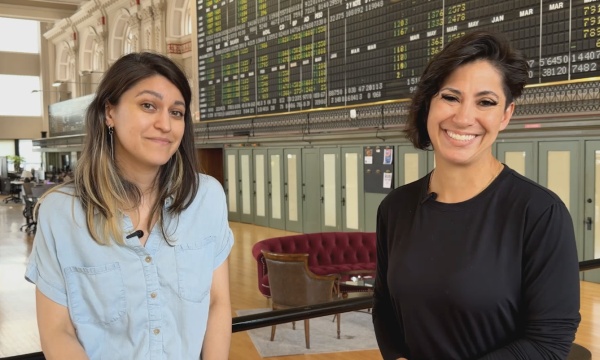
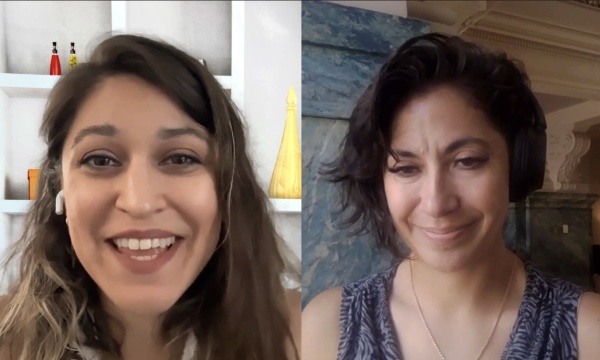
This podcast is for city communications, teams and video professionals in government. We talk about expanding service delivery with video and streaming, media accessibility, gear, broadcast and streaming workflows and more. It's all right here on the Government Video Podcast. The Government Video Podcast is brought to you by MediaScribe from Tightrope Media Systems. Tightrope believes accessibility should never be an afterthought. It should be built in from the start. MediaScribe's award-winning captioning and audio descriptions is your end-to-end solution for accessible government video. Visit mediascribe.ai to start your free trial today. Hello and welcome back to the Government Video Podcast. I'm your host this week, Michelle Alimoradi. Here on the Government Video Podcast we talk about all things government media. We talk about gear, workflows, and most recently, we've been talking a lot about AI and accessibility, and today with me we have guest Kate DeForest. Kate is a public speaker and a certified professional in accessibility core competencies. Kate teaches accessibility best practices and strategies that you can use immediately through relatable stories and real world experiences. She demonstrates how even the smallest changes can improve digital accessibility, and we're excited to hear more about that today, especially as we've been focusing a lot on the new rules coming down in April 2026 for some folks, in April 2027 for others around the WCAG guidelines in government media. So Kate DeForest, thank you so much for joining us today. Glad to have you. Thank you. It's great to be here. I'm so honored to be a part of this podcast with you. Great to have you because, you know, we've really enjoyed learning from folks that have been doing this for a while. You know, I like to remind people that, just because a lot of us are just learning about the WCAG now, doesn't mean that it hasn't been around for, what, 30 plus years? There's a lot of experts out there to learn from. So, we're not alone and we have so much expertise and so I'm happy to hear about your particular perspective and practices around this. So, just letting folks know that your approach to this is sort of tying James Clear's Atomic Habits, which is a pretty well known book. For those of our listeners who haven't read it, it's definitely worth adding to your reading list. And in that book, James Clear outlines, you know, practical framework for building good habits and breaking bad ones by focusing on small, continuous improvements. And I think a lot of us think like, yeah, that sounds great, but then how do we actually, how do we actually make ourselves do that? So I'm excited to hear more from you about how we can apply that to changes we need to make around accessibility. But before we dive into that. I would love to hear, or I would love for our listeners to hear a little bit about your background and how you ended up on this path, because it wasn't a direct path, right? It kind of, you thought you were going in one way and then you ended up in a different place. Now as a certified professional in accessibility core competencies, can you tell us a little bit about that journey, Kate, before we get started on the framework? Yeah. Isn't that funny how life takes us where we completely don't expect to be? I was, broadcast Yeah, exactly. Trust the journey. I was a broadcasting major for many years. Well, I was a broadcasting major in college and a broadcasting professional for many years, and that morphed into sales. And so I was doing sales basically full time. Mm-hmm. And as much as I loved connecting with people and hearing people's stories through sales, I did not like the really pushy sales part of sales. So I decided that I needed a change. I needed to do something different. So I did what any sane, normal person would do as a single mom to three kids. I left my job, completely turned my life upside down and went back to school full time. That sounds, yeah, that sounds easy. Yeah. It was an adventure, to say the least. But it was one of the best decisions I've ever made, no question. And I ended up in this space of accessibility and digital media, and I had the skillsets that were needed at that time, at this higher education institution to fill this role in an accessibility position. So, I was kind of thrown into the fire, and found my own way, figured out how to do things. Figured out what accessibility was and how to incorporate it, and sort of the nuances of it, and kind of fell in love with it. So I've been doing it since 2018. A couple of years ago, I was reading Atomic Habits and the light bulb kind of went off. I was like, oh my gosh. We can use these principles to approach digital accessibility and hopefully help break it down so it's not quite so overwhelming and not so overbearing, to people that we're trying to teach accessibility to. So very windy road, but that's how I got here and I'm really enjoying where I am. Yeah, I liked how, so I was, I was hearing you tell this story in another interview that you did, and I liked how you said, yeah, I went in for graphic design, but what I actually learned was that I had strengths in, how did you describe structural, more of the structural aspect. Yeah, behind the scenes, I'm not a good graphic designer, but, but I've got the behind the scenes, the structural, the organization, the taxonomy, the information architecture, content strategy, all of those types of things are where my strengths are. And I, I just think it's important to point that out because I think through the research that I've done and some of the folks that I've talked to, I get the sense that some people feel like they have to sacrifice creativity in order to make things more accessible, but i've found that it's actually just a different type of creativity in a different type of design, that makes this experience more accessible to everyone. So I just like to point that out because I don't want any other, you know, creatives, designers out there to feel like this is so stifling, when it's actually just a lot of times constraints are what make us flourish in new ways as designers, as creatives. So I just wanted to make sure we didn't gloss over that part. So Kate. Like you said, you felt like giving this work, a framework would help people connect to it, would help people implement it. And so So was it intentional that you wanted to pick a book that was so popular already or was it just this one that you were like, this is the framework, like these pillars just make the most sense for this work? I think it was, it was completely accidental to be honest. Like I said, I picked up Atomic Habits. I don't even know why. Just I needed something to read and I was on page 27 of the introduction where he's kind of outlining the basics of the Atomic Habits principles and breaking everything down and was like, hey, wait a minute. On my college campus, when we were talking about accessibility, the general response was, I have to do this whole long list of things, right? I have to do all these accessibility things to all the materials I've ever created in the history of ever. No, I can't do it. It's too much. And so understanding these Atomic Habits principles, I was like, no, no, no. You don't have to do all the things. You just do one thing and then your materials are that much better, and then you do one other thing. So I just sort of read the book the first time through the lens of digital accessibility and started to get all of these ideas and thoughts about how we can approach teaching others accessibility and how we can use these principles to break it down. I think that's great because I am definitely one of those people. I lean towards perfectionism. I wanna do everything right now, and it's very useful to have something grounding like this where you, you have to remind yourself that, incremental is more sustainable. So, let's take a look at these five principles. We're gonna look at each one, uh, on its own. First one is identity over outcomes. That's like the theme here. So James Clear talks about how true behavioral change is identity change instead of saying. I wanna run a marathon, you become the type of person who runs, right? That's, that's who I am as a person and in government. How can these small teams that have this laundry list of things that they will eventually implement, how do they shift from, we need to meet ADA Compliance to the letter yesterday, to becoming organizations that see themselves as accessibility first. I think this all starts with the wording that we use. It's the wording that we tell ourselves about the organization, how we approach accessibility to other people. As you said, the goal isn't simply ADA compliance, but the goal is to become an organization that serves everyone through compliance or through their design. So, implementing wording. We're the kind of team that makes sure every member can participate. We build services that everyone can use. We are an accessible by default type of organization. It also comes down to, as I mentioned, how you present accessibility to other people. So think for a minute, about the last time, or, or a time, someone maybe came up to you and they were like, Hey, I'm really sorry to bother you with this, but I have a question. Before they've even asked the question, they're telling you that you are being bothered. Yeah. So it's set in our mind that there's a little bit of annoyance there, right? So when we're talking about accessibility, we're saying, Hey, we really gotta do this thing. We gotta make this stuff accessible 'cause we don't wanna get sued and we gotta do this and we gotta do that. It's an annoyance. And so we're setting that tone for other people. I think it comes down to need to, we need to do this versus get to, right? We get to make a better experience for other people. There's also a phenomenal example in the book that I love to use. It's about a man in a wheelchair, and he's once asked if it's difficult to be confined by his wheelchair, and he responds. I'm not confined by my wheelchair. My wheelchair liberates me. Without this chair, I would be bed bound. My chair allows me to leave the house. Now, as someone who doesn't use a wheelchair, I might look at somebody and go, oh, they're restricted in that wheelchair. They can't do the same things I can do, but the perspective of that man is extremely empowering and powerful, right? So we have to take the same approach for accessibility. It's not you need to become a DA compliant or you need to do this. We get to create better experiences for our stakeholders, for our users, for our consumers. We get to allow our content to be more easily used by others. We get to position ourselves as an organization that cares about other people, that wants to include everyone. And I think that's really not too big of a stretch for a lot of folks in this realm, right? Because I think so many of us get into this work and public, public information, public communication, because of a mission, to serve. And that somewhere along the line you get deeply entrenched in your day to day and your routines, and you don't make the connection of the behavioral changes to the mission. And sometimes you, you need that reminder. I know that's what it was for me because, you know, we've also been implementing these accessibility practices incrementally on our side too because we wanted to firsthand, you know, experience what folks that we are serving through accessibility solutions have to go through. And when I found myself finally connecting the work to the mission that I already had committed to, that I've already been trying to serve, it became so much easier. So I really love that, like, that need to, versus get to mindset and helping people sort of re reconnect with the mission that they're already standing behind anyway. Right. And as individuals when we show kindness and empathy and inclusivity. Then it kind of compounds out to the organization. So when all of the employees are showing kindness and inclusivity, then the organization also shows kindness and inclusivity through all of our actions. Right. And I think that, that incremental mindset is also great for that, right? Because if we just see that little bit of difference every day, in people's attitude that our behavior is affecting, that that in and of itself becomes a natural motivator too. Yeah, absolutely. Yeah. So next pillar that James Clear has in his book is about environmental design and habit stacking. So it's this idea that, we respond to environmental changes, sort of naturally, right? So you, you don't rise to the level of your goals, you fall to the level of your systems, I think is the way that he puts it. Using the example of putting the fruit on the counter where you could see it to make a healthier choice. What does that look like in terms of, a government office making accessibility the default? How do they change their environmental de design to improve that? The systems are a very intentional decision, and I, that's one of my favorite quotes, is we don't rise to the level of our goals, we fall to the level of our systems, because it's still very true in all of our lives. So, your example of putting the fruit on the table. We see the fruit. Our brains go, oh yeah, we're supposed to eat healthier, so we eat the fruit instead of eating the candy bars, right? We need some sort of reminder, or I'll use the word trigger to kind of engage our brains to say, oh yeah, we have to include accessibility. We, we get to do this, you know, this, this becomes a part of our workflow. This could be a whole myriad of things. It could be as simple as putting a post-it note on your desktop or on your workstation to say, Hey, don't forget to check accessibility. You could have a brief checklist of points that you can review anytime you're working with documents or websites. I have, what I call the access framework, which is a PDF download that we can share with everyone, and this will help help serve as a reminder of just six basic points that can be reviewed as you're working through digital content. I really liked the way that you laid that out. So this access framework that you're talking about, it's a, it's a nice little PDF, an accessible PDF, I assume, that has a nice graphical layout of everything, but also thoroughly explains all the concepts in text. So for those of us who are more visual learners, we can really kind of go down the list. For those of us who really wanna hear it, we could probably have this, a screen reader read it to us, right? We'll figure out a way to share this, but maybe we can just touch on a couple of them that you have here, which is, alternative text. So this is an, this is an acronym, right? So ACCESS, obviously the point of the checklist, but, we're also using that as an acronym. So, the A is alternative text. The C is captions and transcripts. The next C is color queues, and then we've got E as embedded links. S is structured content and the second S is simple language and it goes on from there. You get some bonus ones on the second page. I'm just teasing it now and folks will have to download. We're gonna figure out a way to share this at the end of the podcast so everybody can have access to it, but you're gonna have to download it to get the full tool. So, so we were, we were talking about ways that we redesign our systems or our environment to encourage these behavioral changes. Yeah, so just having this checklist, or something similar tacked up at your workstation for like a departmental level or even an organizational level, this could mean including accessibility training in monthly department meetings, even if it's not a full on training. Just having 10 or 15 minutes whenever you have your departmental meeting to review accessibility principles to talk about it. Make sure everyone is on the same page about understanding what that means and how to include them. Bringing in an outside speaker could also be very helpful, right? I call this the Charlie Brown Peanuts phenomenon is when someone who we're close with is telling us something again and again and again, we tend to hear,
but if we bring in an outside voice or an outside person that says the same thing, the words hit a little bit differently. So just bringing in that reinforcement of having someone saying how important accessibility is and going over some brief pointers of how to include it in easy manners. Yeah, I think that's really important. I, I definitely fall victim to that. Letting repeated things fall into the background. So I think it's a really important point for, especially for organizational or or department level change, to acknowledge that bringing in outside folks is sometimes going to have a bigger impact. Even, even if you have the best of intentions by repeating it yourself. I was in a committee meeting not too long ago with a faculty member, a number of faculty members, but one particular faculty member said, I'm really good at having an impact as far as accessibility. She said, I'm really good at having an impact in other departments in my own department. Not so much people don't listen to me, but in other departments, people listen to her. So it's that whole phenomenon. The struggle. Yeah. I think those are really important points. And also just, you know, even if you don't, even if those particular suggestions don't serve you to make sure that you think about the design of your systems, both on an individual and, organizational or departmental level. Hey, if you're enjoying this podcast, you might also like our webinars. We host live sessions where we dig deeper into topics that matter to media makers and government, like accessibility, compliance, automation, all of it. Join us live to ask questions or browse our on demand library whenever it fits your schedule, click in the link in the show notes to check out what's available. The other aspect of this environmental design is something called habit stacking. So that's where you would, what, hook one existing habit to a newer one that you wanna develop? What does that look like? Right, so like in the morning, if you say, all right, I wanna start meditating. So after I pour my coffee for myself, which I do every single day, I'm gonna sit down with my cup of coffee and I'm gonna take one minute and meditate. That would be habit stacking, taking something that you already do and then adding something else to it. So for accessibility, again, this could take on a whole variety of looks and uses. But, if we're remediating PDFs, for example, one of the steps in remediating PDFs, hopefully, is running an accessibility checker, which typically done at the end. You might run it at the beginning, but then you go through everything and you typically run it again at the end. So the stacked habit could be once you run the accessibility checker, at the end you save the file, or before you save the file, you add a quick statement like, this document is tagged for accessibility and optimized for screen readers, or something to that effect that denotes that it's been looked at. This helps reinforce communicating accessibility. And puts it a little more out in the open rather than just kind of like doing it behind the curtain, you know? So it kind of reinforces that communication. I really like that advice a lot, because I think even those of us who have the best of intentions sometimes forget. Maybe we didn't do it for a while and then we forget. So I really, I really like that particular tip. Typically when we're, when we're working through a process, we have a very specific order of things that we do, right? Any process that we do repeatedly, we do in a very specific order. So, for example, when I am remediating or checking PDFs, I typically look at headings and then links, and then alt text, and then color contrast, and then metadata. And that's a very simplified process, but that's kind of the steps that I take. Once I'm done with everything, I save the file and I add REM for remediated at the end of the file name. And that way there's like, there's no question that I've remediated this file. I've looked at it, I've checked it, it's as accessible as I can make it. There's very little question when I send it to someone else, what version is this? Was it reviewed? Blah, blah blah. So it's kind of like adding that statement of this has been checked for accessibility, so whatever your current process is. When you're looking to add accessibility features or principles, a lot of times we just kind of go through the process. We don't really think about the steps, right? So if we take a step back and really look at the process that we're going through and figure out where you can just add one more thing. Like, okay, am I checking for headings? Did I check color contrast? Did I, you know, add the statement or add something to the file name? Go through the whole process and figure out where it is that you can do one little additional thing that will help boost that accessibility aspect. I like that. I like the idea of like maybe using that REM extension on your file for remediation in place of like, a lot of folks use final or something like that, or final, final, you know, that could be a nice way of communicating accessibility as a priority as well. So moving on to our third pillar, we're looking at small wins and of course the bad habits, the things that we wanna stop doing. So, success, as James Clear puts it, is a product of daily habits, not a once in a lifetime transformation. So he's emphasizing, you know, these small wins compound into big change. We've kind of hit on that a little bit already, but what's an example of a small accessibility win for a government team or in your higher ed experience, something as simple as, you know, alt text or captions that compounds into like a larger cultural shift. Sometimes just having the conversations or putting it out there can start that sort of compounding process. I'll give you an example. On the campus that I work at, we have a wellness initiative that started about a year or so ago, and the first campus wide email that we received from the committee. It was just an attachment. It had a JPEG attachment. That was it. And of course, in this attachment, it was basically a brochure and it had a number of different events that were coming up and the dates and all the important information. So I happened to know a couple of people who were on the committee that sent out this email. So I emailed them and said, Hey, kudos, you know, great job on this initiative. This is really exciting for the campus. We got lots of great things. You might wanna reconsider how you're sending out your emails. Attachments can be problematic for screen readers. And I went on to explain, you know, exactly why. And then I also pointed out that regardless of using a screen reader, people might not be clicking on the attachments because we're kind of taught not to specifically open JPEG attachments, right? So this could be problematic for anybody, and so your audience might not be getting the information that you are wanting them to get. So I recommended instead of just having the attachment, to put the actual important information in the body of the email, that way people open the email and they see the information and it’s more easily consumed. Mm-hmm. So the next month, we got another email from them and it had an attachment, but it also had all of the information in the body of the email. And then a month or so after that, one of the committee members reached out to me. She said, Hey, the committee's looking at putting out this digital newsletter for the campus, for this wellness initiative. We would like you to take a look at it, to tell us how we can make it more accessible. What do we need to improve the content of it? So just having that one conversation or putting that one statement out to them became a back and forth. And produced content that was more accessible. If I hadn't said anything, we'd probably still be getting emails with nothing but a JPEG attachment. Right? The digital newsletter that they wanted to put out would be not accessible. It wouldn't have any alt text, it wouldn't have correct headings, whatever. So sometimes just putting the principles on the table in front of other people verbally, can help build that awareness. I think captions is another really great example when captions are automatically enabled, it normalizes inclusion by making accessibility visible to everyone, so it helps the people who have hearing impairments. It helps people who are non-native speakers who might be on the committee. It helps people who are in a noisy environment, people who might just not want their volume on, right? It normalizes having that inclusion. And it sets expectations for future videos and events to be created with the accessibility in mind from the start. I'll share a funny little story that's related to that. In one of the committee meetings that I'm in, the head of the committee had automatically set the AI transcription to go. So every time we got on Zoom, big Brother was watching and listening, right? And it was transcribing everything we were saying. Well, the first couple of meetings we'd get on a little bit early and chitchatting with some of my friends who were on the committee, you know, oh, hey, I haven't talked to you in a while. How's it going? We talk about our weekend plans or whatever it was. And after like two meetings, we started to realize that our conversations were being transcribed. And when you're not officially in the meeting yet, sometimes side conversations have points of information that don't necessarily need to be shared with the entire committee, right? So we learned very quickly that we had to keep our side conversations to a bare minimum. Because we all knew that it was being recorded, so it in it normalized having that AI transcription, which is helpful. Obviously I'm not saying anything bad about the transcription piece, but it taught us like this is a normal part of this committee meeting now, so we had to be aware of that, which I think is very helpful in many, many aspects. Yeah. It also, I think. That's, that's a funny example, right? And I think one that a lot of us can relate to, but I've also noticed myself, my behaviors changing, in another way around knowing that things are transcribed in the way that I get to communicate for,
for the reuse of content later, you know, when I know that something is being transcribed or better yet, summarized automatically, I tend to change my communication to make that summarization better and more clear. And I think that, you know, that's the kind of thing where you save yourself time and also are able to provide a resource that's going to help make something more accessible. So, I really appreciate those aspects because we're starting to see summarization being used in accessibility for image descriptions, audio descriptions, and also just a way for people to, in the government context, have a quick way to keep up with what happened in a meeting. Maybe because they don't have time to read the whole transcript or because they wanna make sure they're watching the right meeting right before they sit there and like get into it. So I've found my behavior changing, like knowing that those things are happening in a positive way. You know, like, I think there's, there's many different ways that you're, resulting behavioral changes that come out of that. So we've been talking about setting up, or breaking bad habits, right? We also wanna talk about measuring our success. So every action that you take is a vote for the type of person you wish to become, is a way that James Clear summarizes this. So he's talking about habits being reinforced by feedback loops. So you're seeing evidence that you're becoming the type of person who follows through. So just the fact that you noticed the behavioral changes that you made, right? In response to that transcription. What does it look like to measure, what are other ways, I guess, to measure accessibility progress so that staff see evidence of success without adding, you know, too much weight and bureaucracy. I think having tools on hand, like platforms like Siteimprove and Acquia Optimize are two that I can think of off the top of my head. They can provide reports, for different websites for departments so they can, they can highlight the number of inaccessible PDFs, they can highlight overall website accessibility scores, proper use of structured headings. They can do things like broken links, spell checks, all kinds of accessibility and q and a, not q and a. All kinds of accessibility and QA quality assurance aspects can be broken down and those reports can then be provided to the different departments to give them a month over month view of how their content is being used or how it is accessible. I think that that is one way that's probably fairly easy for most organizations to implement if you have a tool, and there are many tools that can be used online. Or many online tools that can be used that have a multitude of functionality. So it's fairly possible that a lot of organizations already have something like this in place. They just may not know the full capability of these, of these various tools. But if you have them and you can dig into them, and find out how to use the reports, those can be very helpful in visually seeing my website score was 59% accessible last month, but I made these simple changes and now it's 65%. So it's a little bit of an increase. I see everyone digging deep into the settings of their software tools now There's so many tools that have functionalities that we don't even know exist, so it's, it's worth it, you know? Mm-hmm. Whenever possible, I think it's also very important to gather success stories from students, employees, other stakeholders, consumers, whoever it is that uses your, we'll just say website, whoever it is that uses your website, and have them share how their experiences were either made better through use of accessibility practices or the barriers that they encountered. Because there wasn't accessibility practices put in place. And I have a story about this as well. A number of years ago I was on a committee, an accessibility committee, and we had a meeting. We invited in a number of faculty members to talk about various accessibility aspects and use of assistive technology, and we brought in some students who were using that assistive technology to kind of, to share their stories. One of the stories that I very vividly remember was a student who was talking about she needed extra time, right? So she was taking a lot of humanities classes, and one of the things that humanities professors like to do is post discussion boards. So they post a question or, just a point of information within the learning management system, and then all of the students are supposed to chime in and, you know, answer the question or give their insight about whatever it is that topic is. Well, this one student who was in the meeting was saying how she needed extra time, so by the time she went into the system, read the question, processed the question, and then processed how she was going to answer the question. She went back online to post her answer and the conversation had gone completely in a different direction because while she was taking the extra time to process things, all of her classmates were continuing to have this conversation, and as conversations do, it it took a complete turn and the humanities professors in the room were absolutely floored. Like they did not have any concept that a open discussion board could be problematic for anyone. So just having that student relay her story about that particular barrier, some of the professors in the room were like, oh my gosh, I have to completely rethink how I teach this entire class now because all of what I teach is based on like this principle that this one student was saying she was having trouble with. So getting those real life stories from people I think is immensely just invaluable because as human beings, we tend not to think outside of our own comfort bubble, but when we can, when we can hear the stories of other people who live in a different way than we do, right? They navigate the world differently than we do, it makes us realize like, oh, this thing that I did not realize was a barrier, is a barrier for that other person. So just having those conversations and bringing in those stories, I think is huge. I think that's huge too. And, and related to that, it has been my experience like going through this process within my company and trying to figure out where our blind spots were around accessibility that just bringing it up, like talking about screen readers, talking about how we might make, our Zoom meetings more accessible and things like that, suddenly invited the firsthand experience of people on our team who we didn't even know were using these tools to share their firsthand experience. So just like bringing up the topic, helped people feel comfortable, like with something that might have felt a little too vulnerable previously, but now you've put them in a position to be helpful. You've put them in a position to educate and be like a thought leader, an advisor, right? You've empowered them. And so I just think that we don't wanna minimize that aspect of this at all, like just putting this as a regular topic of discussion, as we've mentioned in some of these other pillars, will bring out things that you wouldn't expect. And, and I think it's also important to notice that, or to note that a part of this process is expecting that, right? Like having a plan for how you're gonna embrace that when it happens. So, It kind of goes back to to part of the discussion that we were having in the beginning about the identity, right? So when accessibility becomes part of the identity, we want to be inclusive, we want to make sure all of our members can participate. Then it suddenly, as you said, it becomes a much safer place for someone to be like, oh, by the way, excuse me, that didn't work so well for me. Whereas, when accessibility is sort of seen as an add-on, I might feel like I'm being bother, I'm being a bothersome or I'm, I'm being an annoyance. If I'm like, oh, that thing didn't work for me. But if we're being inclusive and it's a safe place, then everybody wants to make sure that everybody else can participate. Then, like you said, it, it sort of opens up that discussion in a more natural way. And it brings, it brings it outside of yourself, right? So again, we've talked about, especially in this arena of higher ed and also in local government communications, like there's definitely a service mindset, right? So you're already, now you're turning it around and saying like, oh, me sharing this experience is actually, a service to everyone else here. And bringing, you know my firsthand knowledge is helping everyone else achieve this goal like we've all set, which is that we want everything to be accessible. So now that's a positive thing and I just love how all of this stuff builds as you go forward, right? So, the final, the final pillar here, this was a great segue, is continuous improvement and culture. So that habits are the compound interest of self-improvement or organizational improvement, departmental improvement, whatever level you happen to be focusing on at any given moment. James Clear frames growth as ongoing. It's not a one-time project. And, as we think about it in that way, how do we get beyond ADA as a checklist and more as a mindset or a culture of continuous improvement in the government space? I love to use another one of James Clear's quotes from the book, which is, success isn't a goal to reach or a finish line to cross. It's a system to improve, an endless process to refine, and I think that quote completely defines digital accessibility, right? Accessibility in general. It's ever evolving. It's ever changing almost by the minute it seems like. And so yeah, we can't just one and done, oh, we did it. Our website's good. We're set. But we have to sort of rely on these small, repeatable benchmarks, right? Again, we don't wanna shoot for the moon, we don't wanna go for the top of the mountain. We wanna do it individual pieces at a time. So for example, build it in that every department within the organization will remediate, say 10 documents every month or something like that. Whatever is appropriate for your organization. Set the small benchmarks and allow people to be able to achieve those. And then the other side of that too is using open-ended questions like, how are we improving this month? So instead of saying, are we compliant, which is yes or no, check the box, what are we doing to make sure that we are continuing to improve? Build it into the identity aspect that we've talked about a couple times. We're the type of business that serves everyone, so how are we doing that? Framing accessibility as part of the overall governance helps the employees and the staff see it as core to their role, not as extra work. Which kind of relates to the story that we were just talking about. If it's built in as a safe place and part of the overall structure, I'm going to feel more comfortable calling myself out saying I need something additional, rather than being an annoyance and asking people to do extra work. So I also think, for me anyway, once you know about the benefits of accessibility, you, you kind of can't unknow it, right? Once you see how accessibility helps others, you can't unsee it. It's just like any other habit that we create. Mm-hmm. I was not a, this is, this is related, I promise. I was not a big coffee drinker for many, many, many years. I didn't drink coffee very often. And then in 2020 when everybody started working from home, I made this little game and I had a Keurig coffee machine, so I would make myself a cup of coffee every day and I'd take a selfie and post it on Facebook, and I call it mugshots. And I was like trying to create that connection with people, right? Like, Hey, friends, have a cup of coffee with me. I've drank a cup of coffee every day since then. So I built that habit for myself sort of accidentally. But it feels weird now to sit down and have breakfast and not have that cup of coffee. So once we sort of ingrain the habits, they just become part of our identity. They become part of who we are, and it makes it easier to, you know, continue them. It also makes it easier, I think, for other people to build on that or to gain from that. My mother cannot properly verbalize what it is I do. But she's heard me I have a similar experience, yes. She has heard me talk about accessibility enough. She understands the concept of it, right? So she called me up a while ago and she was telling me about this vacation that she went on, and she went to this museum. And she's like, I was looking at all these great exhibits and I went to read the, like the display placard for one particular exhibit, and she said, I noticed there was braille underneath the written text. So people who are blind could get the same description. She goes, I never would've noticed that before if I wasn't aware of the work that you do. So even like tangentially, when you talk about accessibility enough and you explain the benefits that it has, it starts to sink into people, even if we're not, you know, really pounding it down their throat, so to speak. I, yeah, I.
I find that type of experience so rewarding, 'cause I've, you know, been on this journey for a lot less time than you. But just, you know, trying to learn for myself so that other folks who look to me as a resource can have a little bit more information. And I've started to notice just as a part of my daily awareness, because we started our accessibility journey with our brand guide, like we figured low hanging fruit, like we can change fonts, we can change colors. You know, that's, that's not hard. And we could change our approach to the language that we use, make it a little more accessible. And now I am so bothered. By inaccessible fonts, and inaccessible color contrast. I'm so bothered by it. It's ingrained in my awareness now and I can't unsee it. Right? And I've started to notice it in so many other areas of my life. And I think that's, that's the goal, right? That's eventually what's going to happen is your, your own awareness is going to become that scale, right? That, that measure of how far you've, you've come. And, and I love that when it comes through from other people too. 'Cause I've had that same thing. I will talk about accessibility to anyone who will let me talk about it, and then I'll get people suddenly asking like, Hey, what do you think of this? What do you think of this font? Or what do you think of this, heading? You know, like any of the little adjustments that you can make when you're finalizing something. And that just feels so good. Not that I consider myself an expert, but now I've passed on that priority. To other people. You know, we're all learning, we're all coming up together. And that, I feel like that's success, right? Like if you're, Absolutely. I like to tell people, like, if you're even here listening to this conversation, that's progress, right? Because that means you care if you've made it this far, congratulations. Like you're making progress, It's a, it's about the awareness and again, as human beings, we tend to be drawn to people who are passionate about what they do or what they talk about. So even if you know, you and I, like you said, you're not like standing on street corners preaching the gospel of accessibility, you know, every day. But just the more we talk about it, not yet. It might be down the road. The more we talk about it and the more passionate and genuine we are about it, the more likely people will be to kind of follow along and be like, oh, well what is that thing that you're talking about? Oh, I remember Michelle or Kate talking about this thing. Would you mind looking at this? And it, it's all about the awareness. And once that awareness reaches a certain level, you just can't ignore it anymore. Like you just can't unsee it. Now, I can't unsee it, but I will say that I'm the kind of person who like process has to be present every single day. And if I go a few days without it or a week without it, and then the, and that task comes back up again, I might forget exactly what I did. Like I might know intuitively that changes need to be made, but it won't feel like muscle memory after a short hiatus. So I tend to rely on, you know, a lot of documentation, a lot of things that help me remember where to start. If you were to create like a playbook for, for me, say for a task I only had to do once a month or once a quarter, how, what would it say? What would it focus on? You focus on the four basic atomic habits laws, right, which is make it obvious, meet people where they are, have that reminder or, or trigger, we'll say, to let you know, this is what I have to do. Here's a checklist, here's documentation. I'm a huge documentation fan.
Build it into the identity of yourself or the organization, and that's how it becomes obvious. Number two is make it attractive. This goes to the wording we need to, versus we get to right the, the example of the man in the wheelchair. It's very attractive to have an attitude that says, I can do this. Even if other people look at me and says, oh, she can't do that. Yes, I can do this. That's an attitude. Focus on the wording that has a positive impact, shift the mindset, and then connect accessibility to public service and organizational excellence like we've also talked about a little bit. Principle number three is make it easy. Simplify the path to do the right thing, right? Focus on one aspect of a time. Don't look at the whole mountain. Don't try to shoot for the top of the, the mountain or the 100%. Make it easy by focusing on one thing at a time, shoot for 1% at a time, and moving the needle just 1% is still pushing forward in the right direction. So working to reduce friction in your everyday workflows can help just continue to move it forward. And then principle number four is make it satisfying. Celebrate the small wins that take place. Reward people for their efforts and accomplishments. Make them feel good about what it is they're doing. And that reinforces the habit. So like we were just saying, talking about accessibility and having people come up to us and be like, Hey, would you mind checking this for me? Doing interviews like this and speaking to groups of people is a huge win for me. Like this is my shot of dopamine is to just share this information and talk about it passionately and as genuinely as I know how. So that kind of keeps me going back for more. So those four principles, tying it into, just breaking it down to the bare bones, 1% is possible. And it doesn't take away from the complexity of accessibility. Like accessibility is not simple, we'll say, quote. There's a lot to it. There's a lot of gray areas, there's a lot of mushiness. It can be very difficult and it can be very complex, but it's possible, I believe, to break down each aspect of accessibility and focus on just one thing at a time and move the needle just 1%, which helps build the overall culture down the road. I feel like we've already, or I've already made some progress just going through this with you because it's made me notice things that I am and that I am not doing, in ways that are going to help me continue to make this, this incremental progress. Kate, thank you so much for coming on and sharing this with us and just putting it into this very grounding, tangible framework that I think helps us understand, you know, you all you have to do is start right? That's all we have to do. Just have to start. And we are going to find a way to distribute your access framework, PDF, that helps people with everyday assets, just making sure that your systems are improving. And, we hope that, that you'll join us again in the future because I'm sure there'll be new developments that we're gonna want your input on. I would love that. Thank you very much. I've really enjoyed this. And, for those of you listening again this week, thank you so much for joining us again on the Government Video Podcast. If you found this conversation valuable, I encourage you to like and subscribe on the place where you listen to podcasts. Leave us a review if you can, but most importantly, if you found this valuable, please share it with your colleagues. Share it with anybody else that you think will find this content valuable, and then we will all be improving one step at a time. Thanks everyone.