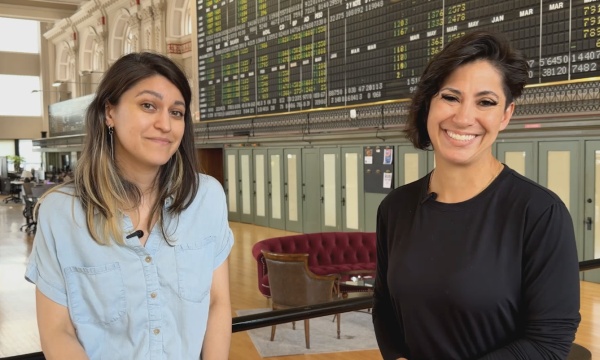
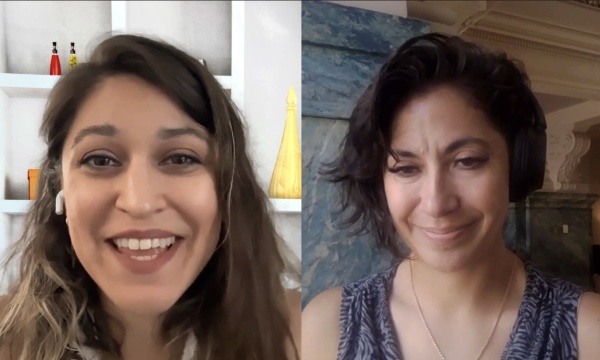
Michelle - Intro: This podcast is for city communications teams and video professionals in government. We talk about expanding service delivery with video and streaming, media accessibility, gear, broadcast and streaming workflows and more. It's all right here on the Government Video Podcast. Episode Sponsor: The Government Video Podcast is brought to you by MediaScribe from Tightrope Media Systems. Tightrope believes accessibility should never be an afterthought. It should be built in from the start. MediaScribe's award-winning captioning and audio descriptions is your end-to-end solution for accessible government video. Visit mediascribe.ai to start your free trial today. Michelle: Hello, and welcome back to the Government Video Podcast. This is the show for local government and community media teams producing video, streaming public meetings, and working to serve their communities through digital media. I'm Michelle Alimoradi, and I'm your host this week. May 21st is the 15th Global Accessibility Awareness Day, also known as GAAD, and today we're sitting down with the person who co-founded it. Since 2011, GAAD has reached over 220 million people on social media, and in that time has been recognized by the White House, governors across the US, and even governments around the world. It's become the day that the tech industry takes the time to pay particular attention to digital accessibility. And this year's anniversary comes at a moment when government video teams are navigating more accessibility requirements than ever. If you've been listening to the pod for a while, you know that we've been deep in that conversation: captions, audio descriptions, and the Web Content Accessibility Guidelines as a whole, or you may know that as WCAG or W-C-A-G compliance, under the new ADA Title II web accessibility guidelines for state and local government agencies. We've talked about what the law requires, how to work with vendors to get it done, and how to explain the value of this work to leadership. Today, we're bringing a new perspective to the conversation that we haven't had on the show before. We've talked about using AI for captioning, for content workflows, for making accessibility more achievable for small teams. But we haven't talked about who's actually measuring how well AI is doing on accessibility and holding the companies that are building these tools accountable for that output. So our guest today has the data on that. Joining us today is Joe Devon, co-founder of GAAD and chair of the GAAD Foundation, founder of A11y Audits, or as some people say A11y, and creator of AIMAC or A-I-M-A-C, AIMAC, the AI Model Accessibility Checker. AIMAC tests whether AI models are actually producing accessible results- And it currently tracks 43 models from 15 different companies. And it's a project of GAAD, of the GAAD Foundation in partnership with ServiceNow. Joe's going to walk us through the GAAD origin story, where the movement is today, and what his research is revealing about AI and accessibility, what's working, what's improving, and what government video teams should watch, as these tools become a part of their everyday workflow. Joe, thank you so much for being here. Joe: Thank you Michelle. And great job on all those acronyms. That's a mouthful. Michelle: We try our best. Just wanna make sure everybody always knows, you know, that we're talking about the same thing 'cause I find particularly with WCAG and WCAG, there's like, there's two camps. It's kind of like the. GIF/GIF. Thing in my, in my experience. Joe: GIF Michelle: yeah, I, I feel like I used to say GIF and enough people shamed me for it that I now say GIF. So I hope, I hope this... Joe: literally the people that created it called it GIF , so they shouldn't shame you. Michelle: Thank you for that. Thank you for that validation. I didn't know that I was gonna get that today, but it, it feels nice. So before we get into the bigger conversation today, we do like to get to know our guests a little bit. So, tell me, Joe, what are you, what are you reading right now? Or what are you listening to? What's, what's on the docket? Joe: listening-- I'm reading, "The Worlds I See" by Fei-Fei Li, who's an AI researcher who's, who's pretty legendary. And she told her story about coming in from China to America and, just her family journey. It's a really great book. I listen to lots of different AI podcasts all the time. Dwarkesh Patel, I don't know if you've ever watched his podcast, but he just interviewed Jensen Huang, the CEO of NVIDIA, and that got a little bit testy. He's like a 25-year-old. He's brilliant. He gets all of these amazing guests, the CEOs of the different AI companies, and, he had a bit of a contentious moment with the NVIDIA CEO. So it's fun to watch. He's had a few of these that are contentious, because he kind of probes a little bit harder, which is amazing for a 25-year-old, to go against these giants and researchers, AI researchers, like legends in the space, and push back. Some people say he's foolish, some people say he's great. I just enjoy the watching it. Michelle: Either way it's entertaining, right? Joe: Yeah, definitely. Michelle: Sort of all the AI dramas going down, I guess. Joe: Yeah, there was a funny moment. Jensen said, "I'm not a loser." Like he asked him this question. He's like, "I'm not a loser. I don't wake up a loser, and the, your question you're asking is trying to paint me in a mentality that is a loser mentality, and I'm not." It was just great. It was fun. Michelle: I'll have to check that one out. It sounds about
AI for most of the show today, but before we get into your tool, what are what is your favorite AI tool that you're using outside of that right now?
Joe: I use just about all of them, but, I would say, Pie Agent and Repo Prompt are sort of my day-to-day. But right now, if you've heard of OpenClaw, which was also been known as ClawdBot, that I think is sort of a game changer in how you think about consuming content. And the reason for it is what he's done is he's created this, this tool that allows you to speak to AI in your favorite manner. So you can use iMessage, you can use Slack, Telegram, WhatsApp, any way that you speak to your friends, the way that you spend your day, and then it will call tools, it will go to websites, it will fill out forms for you, and it really, it will become your real agent. And it's just an individual guy who came in and he spent like three months building this, and it's been the most popular project on GitHub in history, in just the three months that he did it. And Michelle: it's called OpenClaw? Joe: Open Claw. Yeah. And it's really interesting for accessibility, because, I love to quote Daryl Adams, a friend of mine who used to run accessibility for Intel, and he would always say, and he's blind and partially deaf, and he says that, he does not want to talk to the computer in the way that the computer wants to talk to you. He wants everybody to have their own individual preference of how they're talking to the computer and have it handle everything on the other side, and this is literally what OpenClaw is. And he, he's using it, and it's just changed the game for him. So it's definitely a great tool for people to look at. But it's not easy. Like you wanna be pretty technical if you really wanna play with it. So, it's-- Yeah, it's, it's tricky. It's the, the good and bad. But that's, that's where technology is going. It's going to get easier. Michelle: So maybe some of us will wait for the more consumer-ready version of that when it comes along. I'm pretty excited for that. Let's get into your origin story. You've been in this accessibility space for a while, and you came into it through sort of an unconventional path. And you, before this, ran a 100-person development shop. How did you go from building more, you know, general purpose software, if that's, that's correct, from that to becoming one of the most visible advocates in the digital accessibility space? Joe: Well, it's interesting. I was working at americanidol.com. I was working on the back end of the website, and we had a contestant who was blind, and I was always wondering, did we do a good enough job for him in terms of making the website accessible? And then my dad, who was about 87 at the time, he started losing his eyesight and his hearing, and he struggled to do his online banking because the bank's website was inaccessible. And as you can tell prob- by now already, could be a little bit geeky and, technical and, I had a database blog that nobody ever listened to except for about 10 database folks. And I wrote a blog post saying that we need to create a day of awareness around digital accessibility, around making digital products that work for people with disabilities. While I wrote it, I thought, "Wow, this could really be a success." And then I hit send, and then I was like, "No way anything is gonna come of this." But to my utter shock, my co-founder, Jennison Asuncion, read the blog post, and then he said, "This is a great idea. Let's make it happen." And so this was November 2011. And the first GAAD was May 2012. In those six months, this thing went internally, like among the accessibility folks, 16 different cities picked it up. There was governmental events. This was covered by government. It was in my hometown paper. And then the second year, we had about a tweet a minute. And then, and then it just went-- it just hit like 220 million social media reach, within a few years. And then we stopped counting, because once we hit a, a country's worth, a big country's worth of, individuals following it, it was just too mind-blowing. So that's, that's kind of the path of the first few years. Michelle: That's incredible. And also, like, really heartening to hear, like, that you were, you were kind of on the fence. You're like, "I don't know if people are gonna like this or not. Kind of have a feeling it's, you know, gonna be pretty important." And then, and then it really did catch a lot of steam, which is great. What-- Was there a specific project... I know you mentioned the American Idol website and the experience with your dad. Were there-- was there anything else going on where you realized, like, "Oh, accessibility really needs to be built in, like, at the, at the beginning, and not, not as an afterthought"? Joe: Mean, it is just general engineering practices. At Idol, my boss had a saying, "Don't let your lack of planning turn into my emergency," which I thought was fantastic. And it's, it's just so obvious. But I think what, what really helps people to really connect the dots is when you think about designers. A very simple thing you'll see in, in different apps is you'll need an online/offline indicator. If you're trying to connect with your team, you wanna know, are they online? And commonly, you'll put in a green button or a red button. And green and red, with, if you use color alone to convey information, to most people who are colorblind, that will be gray and gray. They will not be able to see . And now, while you're doing the design, if you plan to create something that says the word online/offline, or if you just have an icon that, that shows a difference beyond just color, it costs you zero dollars because you did that pre-planning when you were doing the design. But if this has gone out to 100 people, 1,000 people, a million people, or a billion people, and now you wanna fix it after the fact, needless to say, your costs go way up. And I think that's really the aha moment for a lot of people, about when the when you begin to plan for this makes a difference in how much it's gonna cost you and how good a job you're doing for your, for your customers. Michelle: Yeah. And I think we hear that a lot in the government space as well, right? Because once, once a complaint is filed, now you're, you're not on your own timeline anymore, right? Like, now you're on someone else's timeline. The clock is ticking, and, you have to, you have to scramble if you haven't already put something in place. And so I, I really do feel in all the conversations that we've had so far on this podcast, like that, that is really the biggest takeaway, right? Is like when you, when you do think about these things ahead of time, you are on your own timeline. You can build something that is really gonna serve everybody the best in the, in the long run. And if you don't, then y- you're like throwing together interim stuff at the same time as you're trying to conduct a much more expensive fix. I think that's really important to, to notice and to call out. GAAD has been recognized by the White House, by state governors, and, and also governments all around the world. What does this kind of institutional recognition mean for the movement that you've seen over the last 15 years? And what do you wish more people still understood, as GAAD comes around for its 15th anniversary? Joe: I think the most important thing is that folks that have been working in accessibility for years have always been very frustrated because they knew that this impacts a lot of people. But they always struggle to explain that to people. And when you-- to, to, sorry, to stakeholders, more importantly to stakeholders internally. The CFOs don't wanna hear it. They don't wanna spend money on it. And, this kind of recognition and the kind of numbers that we reach is the proof that it is actually really important. And organizations come to me all the time to try and help tell the story. And if you're looking at the demographics, the population is growing. The millennial, the oldest millennials are about 44, I think right now, 44, 45. When you hit 40, your eyesight starts to change, your hearing starts to change. You need better color contrast on your fonts, your, your text size, right? Your, Your, you Michelle: very aware of these changes, yes. Joe: Yeah. Yeah. Michelle: Um- Joe: so about 50% of the population in America are over 40 Right. And so we l- we tend to talk about disability numbers from the WHO of 15% of the population, and some people say 25%. But if you look at who's impacted by accessibility, which includes people that wear glasses, there's 2.2 billion. Those numbers are actually a lot higher, and people don't-- people are missing that. So, so that's what I think, they should know more about. Michelle: Yeah, I loved the example, about your dad because I think one of the most compelling things that I've heard so far in terms of support for doing this work is that, um, we all forget that it's not-- we're not talking about people, just people who were born with a disability. We're talking about-- And we should care about that in and of itself, right? But I think sometimes if you're having a hard time getting through to people, you need to remind them that they will probably end up being a part of this community at some point in their life, whether that be temporary or, you know, just a gradual progression towards hearing impairment, vision impairment, mobility issues, you know. Joe: Your life, you can expect 10% of your life to have some kind of disability that impacts your day-to-day activities. Michelle: You know, I personally have had-- I went through a bout of having, repeated corneal abrasions where I just, I literally could not even open my eyes because it was so painful. And it would, it would have such a sudden onset, and it would be so debilitating. And it was, it was so hard because I didn't have the time to even, like, learn how to use any of the tools that were out there to help me get by. So if I hadn't had another person around to help me navigate, like getting to the doctor, getting to the pharmacy, all the things I needed to do in that amount of time, I would've just been completely, you know, isolated in my home in pain. And it's, it's crazy when you have an experience like that to realize how important these tools are, first of all, and how important it is for people to just even be aware, that they exist too, right? So I think not enough people tie in this idea of a disability or needing assistance, with this same conversation, and I find that interesting. Joe: Yeah, like I've been to events in San Francisco in some areas that were, not that savory, with a whole bunch of friends who were blind, and I watched them order an Uber or a Lyft, and I was like, now they're standing outside. Now before you had Uber or Lyft, how do you, how do you find out, when your taxi arrived? Who are you asking? Do you even know who you're asking? And now imagine that the people that are building the app don't test with blind folks on their update. And the update that happened from the time they entered the restaurant to the time they left the restaurant, it became inaccessible, and now they're stranded. Like that's the kind of situation that is life and death really, and, and people just don't think about it unless you've kind of been in that situation. I never would've thought about it if I didn't see it with my own eyes. Michelle: Well, and I think that's what's so important about something like GAAD, or Global Accessibility Awareness, right? Because we do need to take intentional time to think about it and call up these examples and make people realize how it affects everyone. Maybe them directly, maybe someone, you know, that's very close to them. And I think the other thing that's come up in these conversations since I've been a lot more focused on this topic is so many people around you are just, dealing with a mild disability and not even acknowledging it to themselves, and not realizing how much they're gonna benefit from this work until they're actually presented with it, right? I've had-- I've worn glasses and contacts since I was very young, and, I never thought about, like, just increasing the font size of things or the availability of, like, zooming in on things or making a screen brighter and how much that would help me. And until somebody brought that up as, like, a guideline, I was like, "Oh, yeah." Like, it would be so much, it'd be so much easier if I just did that by default, if I, like, set that up, you know, by default. And so I think, I think things like, like closed captions, for instance, are a thing that people don't realize is going to be super helpful until they actually just try using it for a while, and they're like, "Oh, this is so much better." So-
Joe: I had a network exec ask me, "Why should I bother putting in, why should I spend the money on captions when only 1% of my audience, is looking at the captions?" And I was like, "Yeah, 'cause your captions suck." Like, Michelle: me, it would Joe: what happens is if you do a great job with the captions, you're gonna see like, like 80% of captions users are not, are not hard of hearing. They're not deaf. They're just people that are like the dialogue is really hard to hear, and the numbers go through the roof when they're good. But if you have really bad captions, your numbers are really low, because it's just, it just ruins the experience. I don't know if you've, if you've experienced that yourself. Michelle: We're-- yeah, working in the captioning space, we've, you know, witnessed firsthand just the exponential improvement in just the last few years of automated captioning and how much better it is. You know, it used to be that you leave on automated captioning and it was, like Pig Latin, you know? It was very hard to understand. And it's just gotten so much better. And I'm excited to see how that also evolves in multilingual spaces. You know, I'm a child of immigrants. My parents are not native English speakers, and that's another area where, things like captioning really help people to participate as well. Episode Break: Hey, if you're enjoying this podcast, you might also like our webinars. We host live sessions where we dig deeper into topics that matter to media makers and government, like accessibility, compliance, automation, all of it. Join us live to ask questions or browse our on demand library whenever it fits your schedule, click in the link in the show notes to check out what's available. Michelle: Your latest project, AIMAC, is specifically testing the quality of what AI produces. So as AI is getting increasingly better at sort of replacing the need to know actual code, to build software, to build, to build apps, to build websites, there's a lot of people using it in this way. Your tool is helping people figure out where each of these models stands in terms of accessibility and we're thinking of it as, like, accessibility by default in the output that it's, that it's putting out. Is that correct? Joe: Yes. I love the way that you put that because, a lot of people in the accessibility space look at this tool that I created and they, they think of it as, well, you're not gonna get perfect accessibility. We need to put in special prompts and guardrails in order to get AI to produce accessible code. And they're missing the point, which is AI model companies are going to be writing almost all of the code within about a year or so, and they're already well along the way. If, and the average developer, just think of whether it's a, you know, your audience, government people, or if you're talking about, if you're talking about a small business, they're going to ask AI to develop an application for them, and they're not gonna even know the word accessibility or to ask that the model generates something accessibly. So it's really important that the AI models, output accessible code. And so the goal of this is that AI companies compete on benchmarks where you say... So for example, in captions, you have the word error rate is a big deal. That's a benchmark. So this is just a benchmark for how well do these models generate a page of HTML. And I started really simple because I wanted to get them engaged. And that's all we're testing at the beginning, but we're adding more and more benchmarks as time goes on now that at least one of the companies has really started to pick up on it. Michelle: And I just wanna clarify. So we're, we're saying, if somebody asks to build an app per se, then they're not specifically asking that developer or, or the model directly if they're trying to do this themselves to make it accessible You are telling these AI companies, like, where they stand in terms of what's coming out by default. If, if someone was educated around what they want in terms of accessible output, they could, they could simply tell the model to do that, right? Are, are we in that space at all, or are we still just testing the default output? Joe: Yeah, we're, AIMAC is testing the default output. For sure there is, You're going to get a much more accessible result if you say things like, "Use semantic HTML," um, "Use accessible components," then you'll get much better results. And we are, we are doing some testing in the next version, along those lines. But, you know, that, that's sort of a separate question, like how well do they follow instructions? And the top models will do pretty well if you direct them well. But we want that the general public doesn't even have to do that so that they will automatically recommend high-quality code. Michelle: And that's putting us in a position to be even better off than we are now, right? Because the WCAG rules are out there. They're the public knowledge. Anyone can go look and see what the requirements are, whether or not they understand them or not. So those are all, those are all there. But it's whether or not, like in the same way that we don't necessarily have to know code anymore to build an app, we don't necessarily have to know all of the WCAG rules to get a tool to spit out something that will be accessible to as many people as possible. Joe: we're not there, but that's the goal. Yes. Michelle: Right. Right. Joe: Yeah. Yeah. Michelle: And I think it's so cool that we're almost at that, at that point. Let's get into a little more detail on AIMAC. You build these benchmark grades for models like ChatGPT, Claude. Are you also testing Gemini? Or what else, what else is on the list? Joe: 40 different models. Most of them people wouldn't have heard of. A lot of them are open source models. But, just in general, if you wanna know the results, GPT,
so ChatGPT is an app that you're having a conversation with. The models tend to be called like ChatGPT 5.4 or 5.4 Pro. There are a lot of all these variations. And so GPT, Open AI, OpenAI who creates ChatGPT, their models are really good. They clearly are paying attention to accessibility, and it's not a surprise because when they came out with GPT 4.0, they partnered with Be My Eyes, which is a beloved app that is very popular in the blind community. They partnered with them. So they're engaged with the community, and they pay attention to this benchmark, and they're almost perfect at it. And then Google used to be at the very bottom and I think that they have paid attention to this, and now they're-- one of their models is like nine. And then, Anthropic has not done too well. They don't seem very engaged with this at all. So they're a little bit all over the map. They're kind of in the middle. I don't wanna go into too much boring detail for the people that know what the, these models are, it'd be a lot more interesting that I don't know that the general, public would care about the model names, you know. Michelle: Well, where I think this intersects with a lot of our listeners' work is that they are trying to do a lot of asset remediation right now, including their website itself or, things like, like their video content or their meeting agendas that are often like PDF format. Sometimes it has to do with other interactive service delivery tools that they have on their website. So I think where this is going to be seen the most by them is in conversations with a developer that they might be talking to, right? Because now they no longer have to go buy something off the shelf. They could be talking to somebody that is going to deliver something very custom to their needs. So if, if they were having a conversation like that with where the models are today, what do you think that they should be talking about? What questions should they be asking? Joe: First of all, you, you have to look at it with your own workflow and, depending on what your budget is and what kind of expertise you can bring in, some of these folks that have the money can actually train their own models on their own data. But if you're trying to be like general, like the average user, you wanna test the different models on your data. There's something called evals, which, the people that really are good at this AI stuff, I'm not even talking about researchers, but if you're building on top of AI, you should have your set
of questions or your basic way of saying, "Okay, here is an audio file that I would like to see how it's captioned," right? So now I can score it myself with word error rate or a weighted word error rate or different, different benchmarks that I create myself, right? Where it's like I wanna know did, if your content is different languages, how well did it handle the switch of different languages? How-- Let's say your content is three people. Was it really good at diarization, which means saying which speaker said what? So you can, you can do like a test bit of content, you can score it with different services, and then compare it with each other. And the second a new model comes out, all you have to do is run it against your test, then you can compare it to the other ones, and then you'll know very quickly. And you don't have to get fancy. You don't need a website. You don't need to use any special tools, even though there are some. You need an Excel spreadsheet. You know, like keep it super simple, Excel or Google Sheets, and then put your scores right there, and then you'll know very quickly which model or service is gonna do the best job for you. Michelle: I like that because I think it's a good reminder of how we do still need to have a lot of human input and judgment in the process when we're using AI and developing with it. You mentioned some of the things that you've seen from different AI models that you think are being done really well. Were there any particular, like, patterns or anything that you noticed that you were surprised by as you started with this project? Joe: You mean in AIMAC?? I was surprised that the-- as the mo- as the new models come out, if they were not paying attention to accessibility, it would go up and down. It wasn't getting better, consistently. Most of them just get a little bit better, a little bit worse. And the, how do they say, the promises on the tin are that every time there's a new model, it gets better. But when it comes to accessibility, other than OpenAI, that has not been the case consistently. It's been, if you look at the WebAIM Million report, which is a report of how accessible the top million websites are, AIMAC and WebAIM are pretty well correlated. But alt text, they actually do a really good job of doing alt text. The biggest issues are color contrast. That we've seen consistently, like 85% of the pages have poor color contrast. And then empty links is like 31%, and then it kinda goes down from there. Michelle: So we've covered a lot of ground today. Your origin story, the state of AI and accessibility, and of course your tool, the AI Model Accessibility Checker. I wanna bring it back, to where we all started, which is GAAD. This is the 15th anniversary, as we've mentioned, May 21st. For a government video team or a community media station, that is, you know, trying to reach their entire city, their entire county, and they wanna do something for GAAD, what does participation look like? What would you like to see them do? Joe: Yeah, I would say audit a show. Try and take a look at a show that you produce and see how the quality is of the captions. If you have audio description, what does that look like? If you don't have audio description, try to add audio description. I've even played with creating it just for a training I did for a client. I just asked an AI model, "Do audio description. Here's an au- here's a file, and then create a script, an audio description script." You know, have fun with it, play with it, and see where you can push the limits of where you're going. And then one of the big things that is the reason that GAAD has taken off is that organizations have taken that day as an excuse to internally gather employees, and team members to take a look and pay attention to accessibility, train them, invite somebody into the organization to do like a little lunch and learn. That would really be the way to, to celebrate it. Michelle: I love that. I think that's a great idea. Joe, thank you so much for joining us today. I've learned a lot. I hope our listeners have learned a lot in this discussion, and I think the work you're doing is so great. Joe Devon, the founder of Global Accessibility Awareness Day, GAAD, also the founder of A11y Audits and the AI Model Accessibility Checker. AI has reached a pivotal point in its evolution, and web development is moving exponentially faster, and that means that it also has the potential to level the accessibility playing field on the internet in ways that we probably couldn't have imagined 15 years ago when GAAD started. But that speed also means that it's more important than ever to have a watchdog keeping these companies behind these large language models accountable, making sure accessibility is built in by default, or at the very least, that these tools aren't creating unnecessary friction for people with disabilities. And at the same time, it's also a good reminder that AI works best when there's a human keeping an eye on the output, especially in government, where the stakes are really high. So happy Global Accessibility Awareness Day, everyone. If today's episode sparked any ideas for you, we encourage you to check out our full episode library for more discussions on video accessibility, the ADA web rule, and beyond. You can like, subscribe, or share this episode with a colleague that you think needs to hear it. I'm Michelle Alimoradi. Thanks so much for listening, and we'll see you next time on the Government Video Podcast.