
Push Button Production: Power Your Cablecast Workflow with Stream Deck
About This Webinar
Take your Cablecast live productions to the next level by integrating Stream Deck, Bitfocus Companion, Control Rooms, and Macros into a streamlined production workflow.
In this on-demand webinar, the Tightrope team demonstrates how to build custom Stream Deck controls, automate repetitive production tasks, and create efficient workflows that simplify live broadcasts. Whether you're producing council meetings, community events, or other live programming, you'll learn practical ways to give your team more control with fewer button presses.
What You'll Learn - How Stream Deck integrates with Cablecast Control Rooms using Bitfocus Companion - The basics of setup, configuration, and building custom Stream Deck buttons - How pre-built buttons can simplify everyday production tasks - Advanced Macro workflows that automate complex live production processes
More Webinars
Social Media Accessibility - Making WCAG Work for Facebook, Instagram, and YouTube
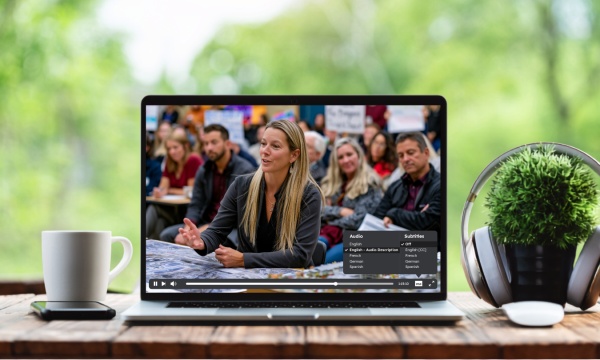
Beyond Captions: Demystifying Audio Descriptions for Government Video Accessibility
Government agencies face ADA Title II web accessibility deadlines under WCAG 2.1 Level AA, and audio descriptions, the piece that comes after captions, are still something almost no agency has put in place.Join the Tightrope team for a practical session covering what audio descriptions actually require: when they're needed and when they're not, how to prioritize the content that matters most, and how to build them into your existing government video workflow in a way your team can sustain over time.What You'll Learn:Which ADA Title II compliance deadline applies to your agency, and what WCAG 2.1 Level AA requires for videoThe role audio descriptions play in meeting WCAG 2.1 Level AA, and how they differ from captionsWhen audio descriptions are required, including how archived meetings, re-uploads, and social content are treated under the ruleHow to prioritize which videos need attention first, without reviewing your entire archive at onceHow MediaScribe Narrate supports WCAG-aligned audio description workflows built specifically for government video, with seamless integration for Cablecast usersDesigned for government video teams and operators, including station managers, multimedia specialists, and AV or production staff, along with public information officers, city clerks, communications managers, IT leads, and anyone responsible for public-facing video content.
NAB 2026 Roundup: Better Accessibility, Stronger Compliance, Smarter Workflows
Catch up on the biggest MediaScribe and Cablecast announcements from NAB 2026 in one on-demand session. This webinar walks through the latest innovations designed to support WCAG 2.1 AA compliance and streamline government video workflows. You'll see how MediaScribe and Cablecast continue to evolve with new accessibility capabilities, cloud-powered workflows, enhanced audience insights, and tools built to simplify content creation, publishing, and playback. What You'll Learn MediaScribe - MediaScribe Live – Real-time captions and translations, plus previews of Speaker ID and Voice Translations - MediaScribe Narrate – AI-powered audio descriptions for on-demand video, including faster review and publishing workflows Cablecast - LiveBridge – Cloud-powered overflow live event workflows - Showcase Events – New ways to promote live events with rewind and instant VOD - Audio Sidecar Files – Multiple audio tracks for descriptions and translations - CG Captioning – Caption support for video bulletins - Audience Measurement – Session-based analytics to better understand viewer engagement