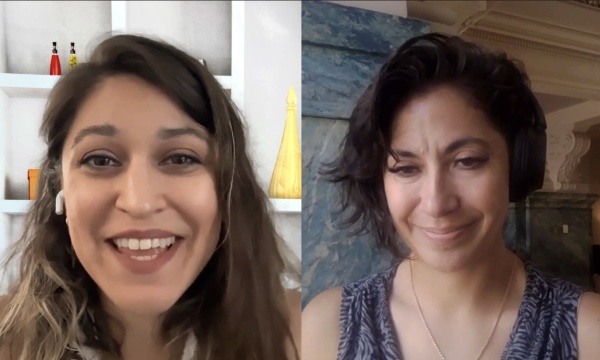
Michelle - Intro: This podcast is for city communications teams and video professionals in government. We talk about expanding service delivery with video and streaming, media accessibility, gear, broadcast and streaming workflows and more. It's all right here on the Government Video Podcast. Episode Sponsor: The Government Video Podcast is brought to you by MediaScribe from Tightrope Media Systems. Tightrope believes accessibility should never be an afterthought. It should be built in from the start. MediaScribe's award-winning captioning and audio descriptions is your end-to-end solution for accessible government video. Visit mediascribe.ai to start your free trial today. Welcome to the Government Video podcast, and I'm Dana Healy. Michelle: I'm Michelle Alimoradi. Dana: And we have a special episode for you. So Michelle, tell us a little bit about what we're gonna be talking about today. Michelle: So we are gonna be talking about a topic that we've been really immersed in over the last year, and that is audio descriptions. we found out a lot of surprising things. We've gotten a lot of questions. And so today we really wanna take an episode to focus on helping people understand audio descriptions. Dana: And I love that people are so inquisitive about this. Right? So we had, uh, quite a number of webinars where people came and they were asking a lot of questions that were a little thematic. But everything was under the audio descriptions umbrella, and hopefully we'll be able to provide some clarity on that. Michelle: Yeah, for sure. And, and I think the number one thing that we have to start with is differentiating audio descriptions from captions. Just making sure people understand that captions fulfill a need for folks with hearing impairments, and audio descriptions are for people with visual impairments. Dana: Yeah, it's, essentially the narration of all the visuals on the screen, Michelle: Right. Anything that isn't already addressed with the words that people are saying in the video. So we like to always use that example of, if you are listening to something, like a city council meeting, and you have your eyes closed, are you missing any important information? And if you are, that needs to be described. Dana: So folks that are trying, on that journey of accessibility for their content- making sure their video content is as accessible as possible, we need to have captions as well as audio descriptions, right? Michelle: Correct, because that, that is addressing the broader span of audience members that would be trying to consume that video. Yeah. Dana: So what's an example, like a lot of our, our viewers and listeners, they're government video practitioners. What's an example of some content that audio descriptions would be very helpful with? Michelle: I think the number one thing that you see all the time if you're covering council meetings is slides. Dana: Mm. Michelle: Right? there are typically a lot of slides, and they might be, you know, full screen and really big text, but that doesn't help somebody that has, you know, no vision, right? So you could make it big, you could make it bold, um, but there's still a part of your audience that's going to need that content to be described. And I think on top of that, what you will have happen in a meeting is somebody talking while that slide is happening. So then you're gonna, we'll get into this later, you're gonna need a tool that understands where to put that description so that they're getting the speech and the description in some way that stays, uh, in the flow of the meeting. Dana: It's also really helpful for speakers and presenters to make their slides more accessible too. Yeah. Right? To say- There's that … talk about them, all of the slides, uh, as well. So. Michelle: I mean, that, yeah, that's like zooming out a bit more in the accessibility conversation. You can definitely help by training folks about best practices, helping them understand what type of output you're shooting for, so that they understand things like not talking over each other or maybe letting their slide linger a little bit longer or not relying on text on a slide or at least reading everything you say on the slide to, um avoid having to use an audio description in the first place. Dana: Yeah. Yeah. So one question that folks were having, that came up a lot was the difference between standard audio descriptions and extended audio descriptions. Do you recall that? Michelle: Yes. So yeah, that's a big one. Because a lot of the requirements that folks are looking at coming up in April of 2027 is this WCAG spec. And in that double-A spec, it refers to standard audio descriptions, and those are just descriptions that fit in the natural pauses of the video. so you're going to just fit whatever you can. You're gonna cater the description to that gap. extended audio descriptions would be where you actually have to pause the video, and then you can insert a longer bit of narration in there to be a bit more thorough about what's happening. Dana: So just a, a point of clarity, it's the natural pauses is in the dialogue, correct? Or- Right. Michelle: Right. Spoken dialogue. So you might encounter audio descriptions that are playing over music or some sort of, like, background audio. the tools that you would use that are automated or, or a person, like a, a professional audio describer, would have that discretion, right? They would understand what is the most important information that needs to be communicated so they can still, you know, layer that, that content appropriately. Dana: Right. And that's, that's really interesting because there is a bit of a science and an art to audio descriptions, right? Michelle: That was a thing we learned. Dana: Yes. Right? We did. We, we we've been educating ourselves a lot- Yeah … about this. ' Michelle: Cause, like, in the government space, like, especially when you're talking about compliance, even if, you're really coming at it from a, "We just wanna make sure people understand what's going on," you know, not necessarily to the spec, y- you're used to having, a specific guideline, right? You're used to, like, this is correct- And this is not to spec, right? and audio descriptions, there's a lot more room for interpretation- There is … um, because not everybody, like robot or human, is going to describe some other visual context in the same way. But there are best practices that professional audio describers use and we did learn some of those from some of the audio describers that we talked to. Dana: Yeah. Having a strong mastery in the language, one, is really helpful because in those short spaces we need to be concise with our language. You need to be, neutral, right? Mm-hmm. As, as po- Michelle: as much as possible. Dana: As much as possible. So, what, what's a good example of that, instead of saying, "The mayor is angry"- when it, at a city council meeting, "The mayor's face is red and his fists are clenched," or something like that. Yeah. You know? Michelle: Yeah. Dana: What were some other things? Do you recall? Michelle: I thought it was really interesting to hear the sort of, placement. There was, like, a placement, layer to it where you kind of keep track of- Mm what's in the room and what's out of the room. So it was like- Mm … a person enters, and then you don't need to necessarily say anything about that person until they do something else, you know? So it's kind of like keeping track of all of the points of action or- Yeah … potential action in the space, and, like, kind of having that in your head as a describer. And I think b- because the folks that we were talking to were, in the performing arts space. So when you're thinking about in the context of a play, right? you're gonna need to remember to say every time this character enters or leaves the stage, 'cause that's an important part of someone being able to get an idea of that stage picture without being able to see it. So you can apply that context to a meeting as well. Like, someone steps up to the mic, someone steps away from the mic. Someone is turning or, you know, now someone is speaking. You have to identify, like, those little changes, to make sure that your stage picture is consistent, right? Dana: There was one thing that I thought was really interesting when we were, excuse me, learning about audio descriptions, like, a- as a art and science practice. Was the, the, you don't need to tell how… Like, I'm wearing a black shirt right now. Mm-hmm. We don't need to know that. We don't need to know you have a blue shirt on. Michelle: Unless you change your shirt. Dana: Unless you change your shirt. Yeah. But how many times are we doing that in a city council meeting? Yeah. Not too many. Not Michelle: very often. Dana: Yeah. So, Hey, GVP listeners. Before we get back into today's episode, Tightrope Media Systems, the sponsor of Government Video Podcast, has a special offer to help you in your video accessibility journey. Tightrope is the maker of MediaScribe, a platform that makes your government video accessible with automated captioning and audio descriptions. And today, they are offering a 30-day extended evaluation period of MediaScribe Narrate, their solution for automated audio descriptions, just for our listeners. So by going to app.mediascribe.ai, you can sign up for this offer with code GVP30. Now, this offer includes training and support, and is designed to help you start planning your compliance workflows today. There's no obligation to buy, and this is Tightrope's commitment to helping teams start figuring out their accessible media workflows right now, instead of waiting until the last minute due to budget or procurement limitations, or whatever else might be holding you back from getting prepared. MediaScribe Narrate generates audio descriptions for your pre-recorded, on-demand public meeting content, and it's built around how councils and boards actually run. So it prioritizes the most important context like agenda slides, name graphics, and speaker transitions, and that grounding is what helps keep your review steps short, so the accessibility work fits inside a small team's existing schedule rather than adding to it. And solidifying that workflow now instead of waiting until right before the ADA Title II deadlines means less to manage later. Tightrope also runs MediaScribe Academy, which is a free resource to anyone working on their content remediation at no cost and regardless of which tools you use to get there. And Tightrope also offers regular educational sessions for MediaScribe users at no added cost. So to redeem this offer, sign up again at app.mediascribe.ai with code GVP, like Government Video Podcast, 30 and start building your workflow today. Now back to the episode Dana: so let's talk a little bit about, like, where do audio descriptions come from? Michelle: Right. So that is one of the big questions too. Yeah. They're like, "Well, okay, so we understand what it is now. How do we, how do we make those? Where do we get those?" and traditionally, it's been done in a lot- the way that closed captions were done for a really long time. It's just a human that is watching something, and they're- describing. And when you're doing that live, like that's a really impressive skill. It's also something that takes time, and you have to schedule with that person. And they have to, you know, go back and process that stuff, make sure everything's accurate, especially if you're dealing with like the, the public record, and you need a, like a transcript of that. So then now increasingly we've got more tools that can do an automated version of that. Right. And I think particularly in a situation where you don't have as much changing and you can predict a little bit like what those visuals are gonna- what the most common visuals are gonna be, it becomes much more realistic to do like an automated version of that, right? So you can have AI, for instance, look at this video, and, and give you at least a first draft of- Yeah … everything that's going on. Dana: Having the, the training data, especially being around like city council meetings, there is a look that city council meetings have. So having models that are built on that i- is very helpful. Michelle: Yeah. Dana: So. Michelle: Well, and, and let's back up a little bit because, I've been using the example of live audio descriptions that are tend to be done by a person, right? You have to right now you pretty much have to have a person do that. But in the case of like this WCAG spec where these questions are coming up, it's actually only required for prerecorded video. And that's where it gets even easier to rely on automated tools, especially because the turnaround time becomes so much faster. And if you're tr- if you try to do them in-house, like that's a lot of manual work because if you think about for your prerecorded video, there's, there's two main steps. There's getting the descriptions, and then there's rendering that out, you know, into whatever media you're going to make available to the public. So, um, having something that can do both of those steps for you, is a really big time saver. Dana: Yeah. It is quite helpful. Yeah. So we generate our audio descriptions. We render those audio descriptions out. Now we have to play them. Mm-hmm. What are some things that we need to, pay specific attention to, to make sure that those audio descriptions show up correctly? Michelle: Right. Um, so over the last year we've, we've worked with so many other people in the space, experts in the space, a lot of folks that work on helping people remediate their websites, and I think a big gap in a lot of the conversations is about video players and the accessibility that needs to be applied to a web video player. So some of that stuff is in line with everything else. It needs to be, keyboard navigable, screen reader friendly. Dana: Yep. Yeah. Screen reader friendly. Michelle: And so in addition to that, there's other specs around the controls. So the ideal, to-spec, details that you need in your player are, like, it doesn't turn on by default, you can turn the volume on and off, um, that you can toggle your captions on and off, and also that you can turn audio descriptions on and off. So not all video players support all of that. So- As you're thinking about audio descriptions, it's not just the audio descriptions itself. Like, you have to think about how you're presenting them and whether or not that platform that you're using supports them. Dana: I think that's a- it, it's the whole chain. So as long as folks are understanding that, okay, it's not just this one thing I need to generate but I need to audit and check to make sure it carries down all the way to the user. Michelle: Mm-hmm. Dana: And then, you know, have a, do a little mini audit, right? The, like you mentioned earlier, if my eyes are closed, I wanna be able to navigate with my keyboard. I wanna turn things on and off. I wanna have… What's the experience gonna be like for the end user? So all important things for people to consider as they go through this accessibility journey. Michelle: Yeah. And another thing that we hear a lot, which is interesting 'cause I think it's kinda counterintuitive to our brains, is that a lot of times if you're doing automated audio descriptions particular, the voice will sound really robotic. Dana: Mm. Mm-hmm. Michelle: and that's actually by design because, folks want to be… If they're someone who's relying on audio descriptions, they wanna be able to distinguish, you know, what is the audio description versus what is the actual audio from the program, right? So having something that sounds really robotic to someone who doesn't re- rely on audio descriptions might be like- Mm "Why does it sound like that? Can we get a better voice?" but it's actually counterintuitive to them being- Right … more effective and, and, like, faster to process for someone who's just listening. Dana: And I think that's important that you bring that up, is it's the end user experience. Mm-hmm. It's how are they, what's the best experience for them, so. Michelle: Yeah. And you brought up, Dana, something that I hadn't thought about, which is that a lot of folks who do, rely on audio descriptions, like, they process that audio so much faster. Dana: Yeah. Because- They listen to things very quickly. Michelle: Like, Dana: very quickly. Like 2X, 3X. Michelle: Yeah. Yeah. And so, I think that's also just something to keep in mind as you're thinking about the final result, right, whether you're considering, like, standard audio descriptions or extended audio descriptions, particularly if you, if you went the extra mile and did the extended audio descriptions that pause the video, because that is going to make your video a lot longer. But that wouldn't necessarily be, prohibitive or, like, a problem for somebody that's used to taking in audio descriptions. Dana: Yeah. That's why… And, and the other, big keystone of accessibility is choice, right? Mm-hmm. So having the choice of speeding things up or toggling things on and off- that's really, really important. So giving everybody those options- Yeah. That's great. Michelle: Right. It's choice and it's, not having to create an entirely separate- Dana: Experience … Michelle: experience. Dana: Mm-hmm. Michelle: And, and there are some gray areas on that that we'll have to navigate. um, we do get a lot of questions about, you know, what do you do if a platform that you're using to get an announcement out, uh, doesn't support these things? Dana: Like social media. Michelle: Yeah. And, and we really feel like the best answer for that right now is, like, try to focus on your own… what you can control. Um, like your own website. Make sure your player is compliant. Make sure you're offering the audio descriptions and the captions and the transcripts and all the things, that you're supposed to have on your site. And then if you're linking to that on these other platforms, you're gonna be in a lot better shape. Dana: Yeah. Michelle: It's a good place to start. Dana: Yeah. Michelle: Um- That's great. I, I feel like we've, we've gotten pretty deep into it. Dana: I think this is good. Yeah. It's enough content that folks are gonna understand where to start, right? Michelle: Yeah. Yeah. So, uh, you know, you know where to find us if you have more questions about audio descriptions. We're happy to, take your questions. You can find us at mediascribe.ai/governmentvideopodcast.
and let us know if you wanna hear more stuff like this. Dana: Yeah. So thanks for listening and watching. We're with the Government Video Podcast, and if you find this helpful, go ahead and share it, social media, with a colleague, with a friend, and subscribe. Michelle: Like and subscribe. Yeah. All right. Thanks, guys.