MediaScribe
Features & Workflow
Make your government meetings more accessible to residents with real-time text transcriptions and translations for mobile and in-room displays.
Schedule Demo.avif)
How MediaScribe Works
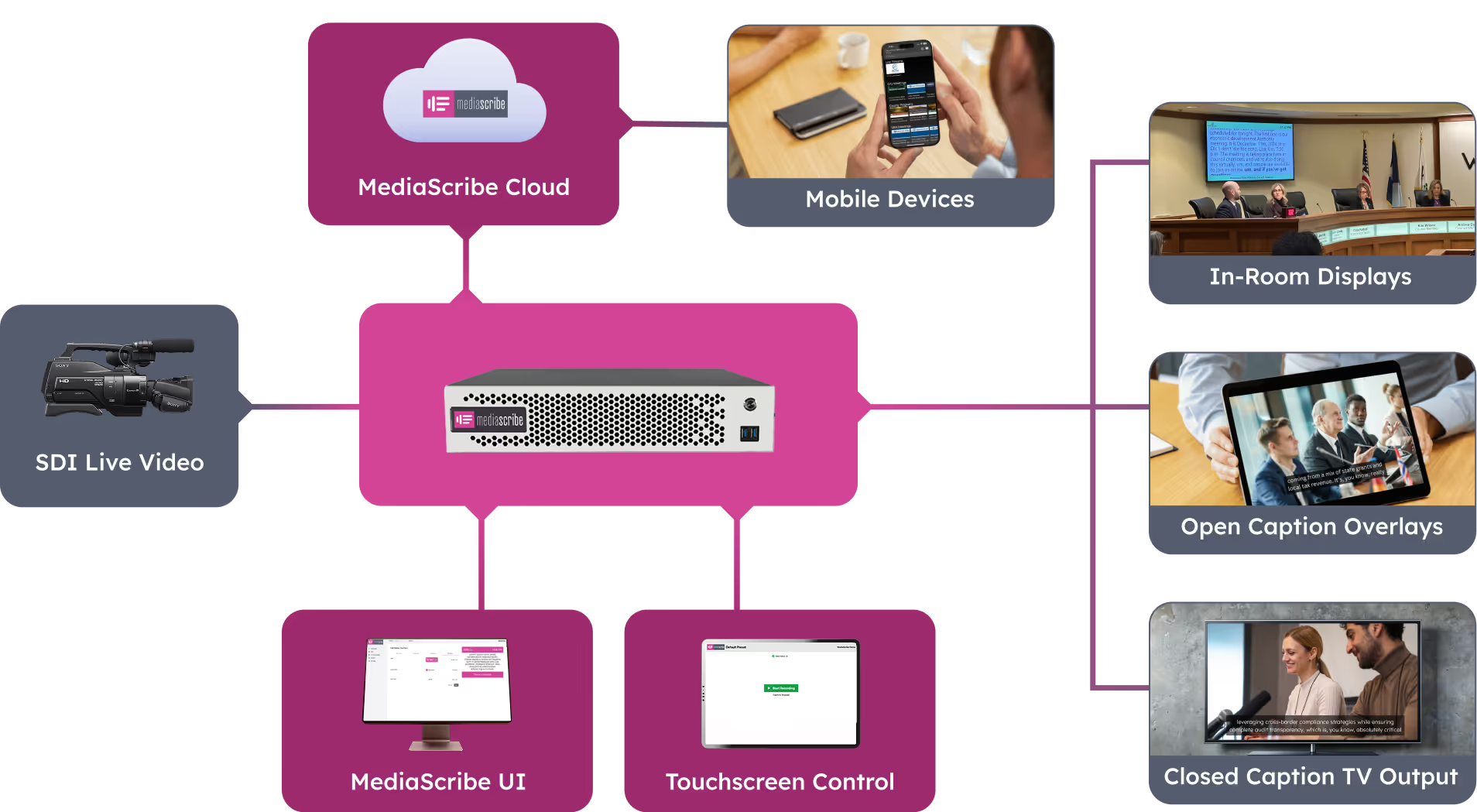
MediaScribe is a hybrid service that combines a hardware interface and cloud-powered AI services to provide an easy to use and flexible workflow. MediaScribe ingests your meeting broadcast via SDI, transcribes the audio, then displays that transcription in a variety of ways. The 3 SDI outputs can be configured for closed captions, open captions, or in-room captions. These signals can be routed through standard AV equipment or converted to HDMI for standard displays. Beyond on-wall displays, the transcriptions can also be viewed on personal mobile devices. All text can be translated into a variety of languages to help keep your residents informed.

In Room Captions

Open
Captions

Closed Captions

Mobile Captions
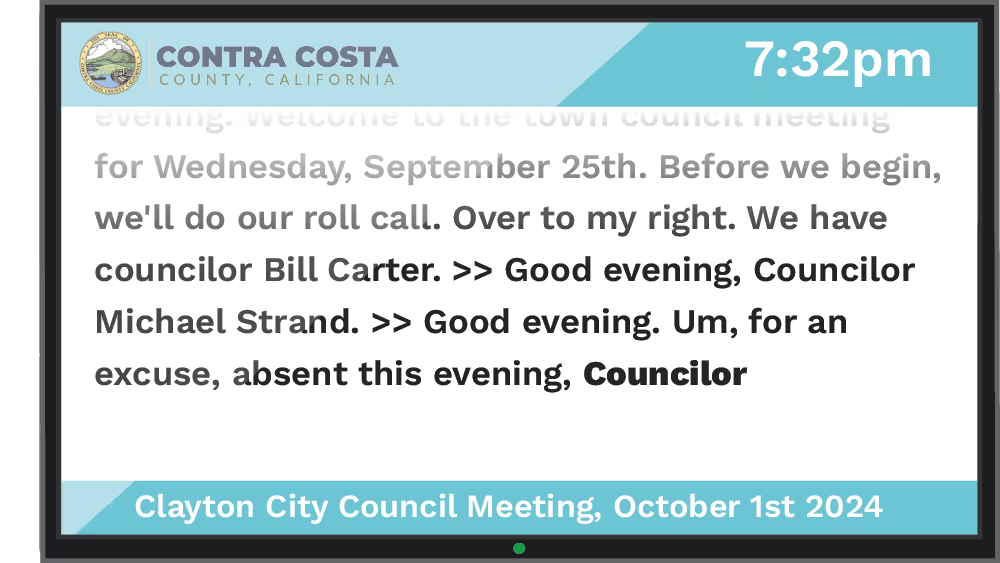
In-Room Captions
Create a more accessible meeting environment by displaying live captions on a dedicate screens in your chambers. You can display english or a variety of other languages to enhance accessibility for your residents. The display can be customized with your logo and branding to match your design aesthetic.
Open Captions
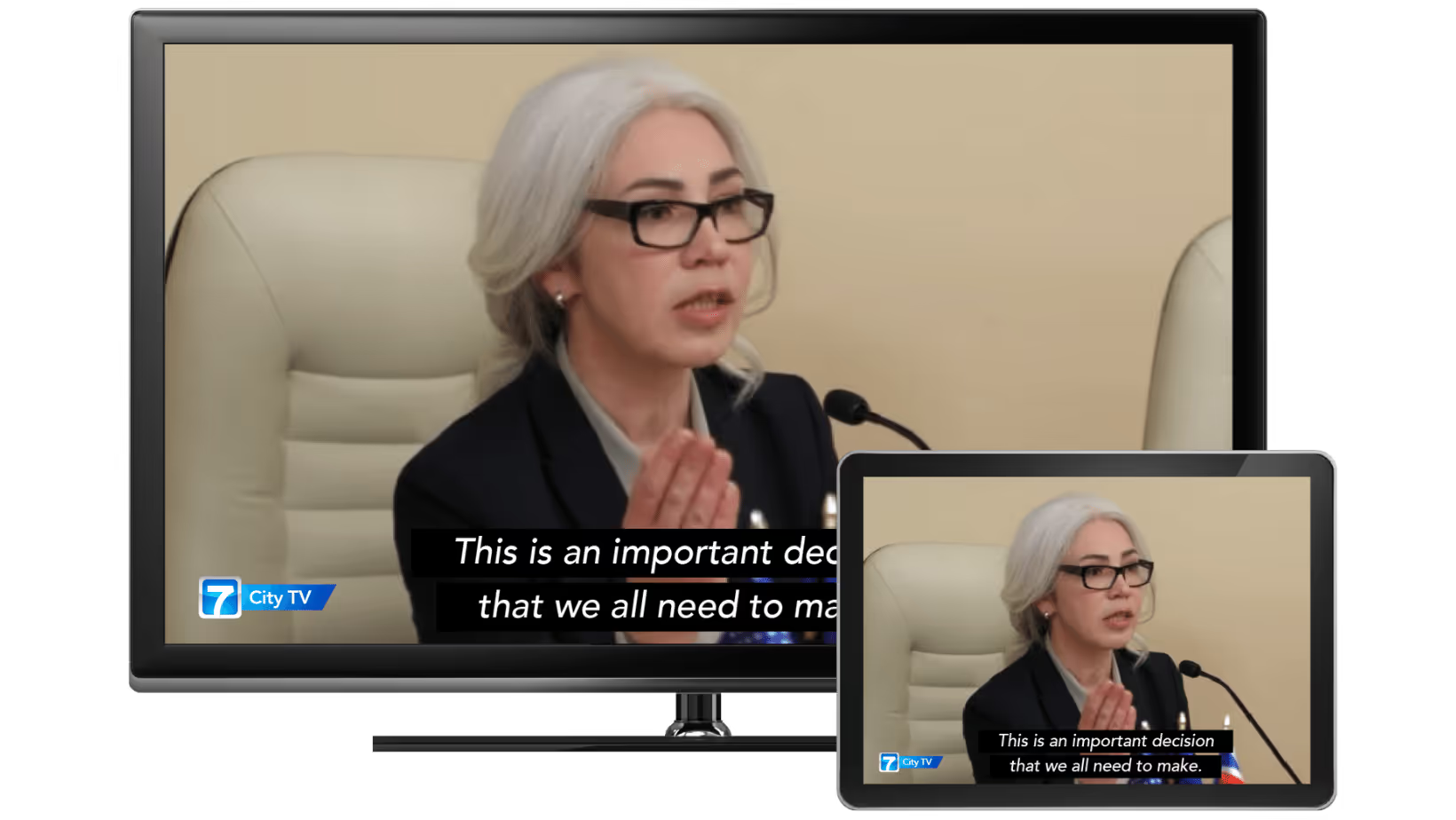
Open captions are displayed over your meeting's live video feed. This is a perfect solution for entryways, hallways, and overflow areas. Open captions allow viewers to see and read what is happening in the chambers without having the sound on the TV.

Closed Captions
Closed captions are the broadcast standard for transmitting text information in a video feed. MediaScribe can insert closed caption data into your video to be used by downstream systems.
Mobile Captions
Mobile captions allow users to view real-time captions directly on their own mobile devices. This provides a personalized and accessible experience during live events or meetings. Residents can simply scan a QR code to bring up the live feed of captions without an app download or special network setups.

.avif)
Language Support
Reach your residential population by supporting the most spoken languages in your city. MediaScribe supports 75 language translations including Spanish, Chinese, Tagalog, Vietnamese, French, Arabic, and Korean.
Custom Vocabulary
We know your city has hard to pronounce street (and mayor) names. MediaScibe allows you to create custom vocabulary and replacements for those hard to transcribe names.

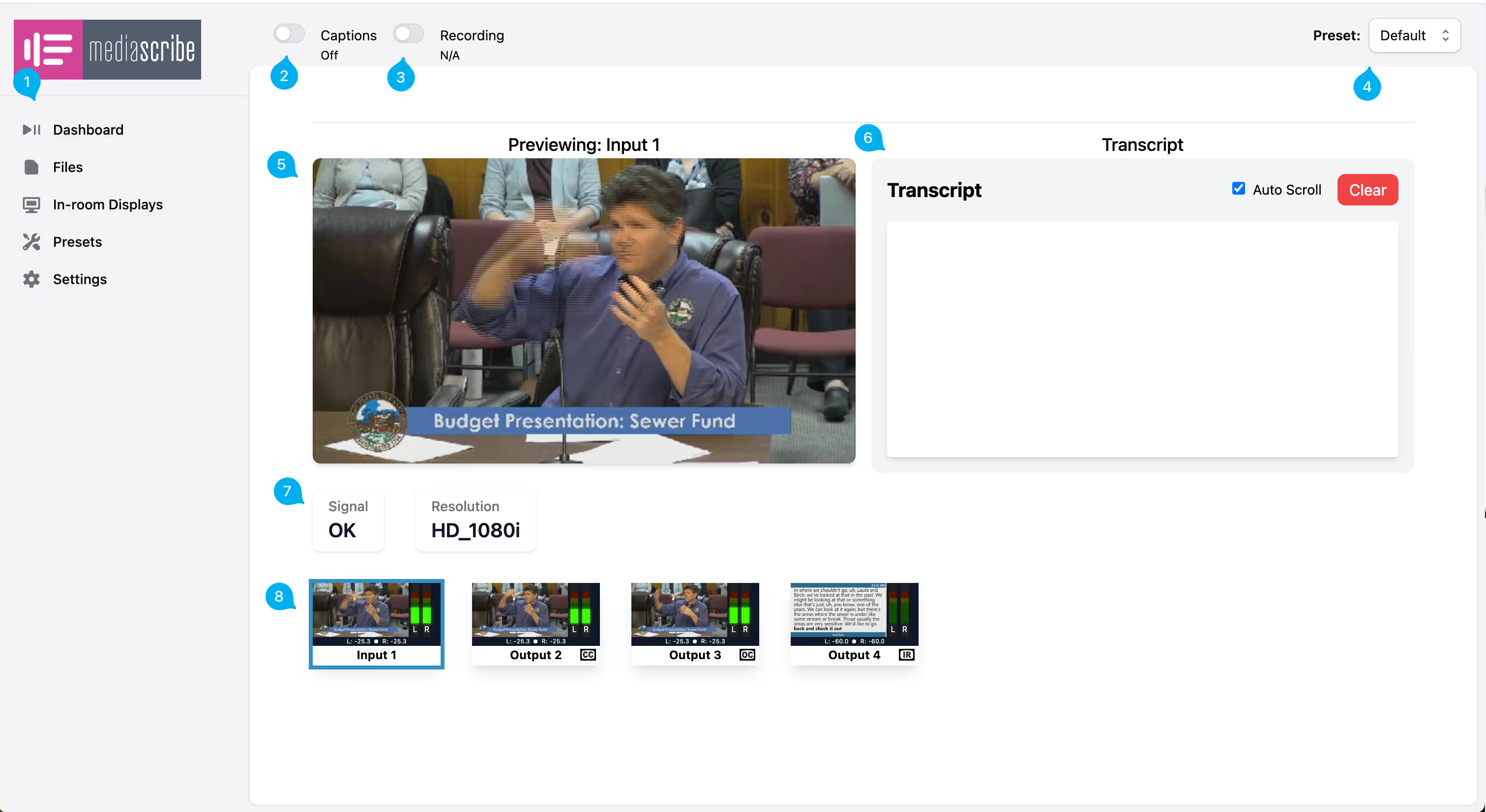
Built for you
MediaScribe’s simple user interface with configurations presents makes is a snap for everyone from your TV staff to the city clerk to start and stop your meeting experiences.
Media Recording
MediaScribe records full video, audio, transcriptions, and translations of your meetings. You can use it as a primary recorder or backup to your broadcast workflow. Assets are available to download in multiple formats, including full video, audio-only files, and transcripts, ensuring versatile access for various needs and platforms.

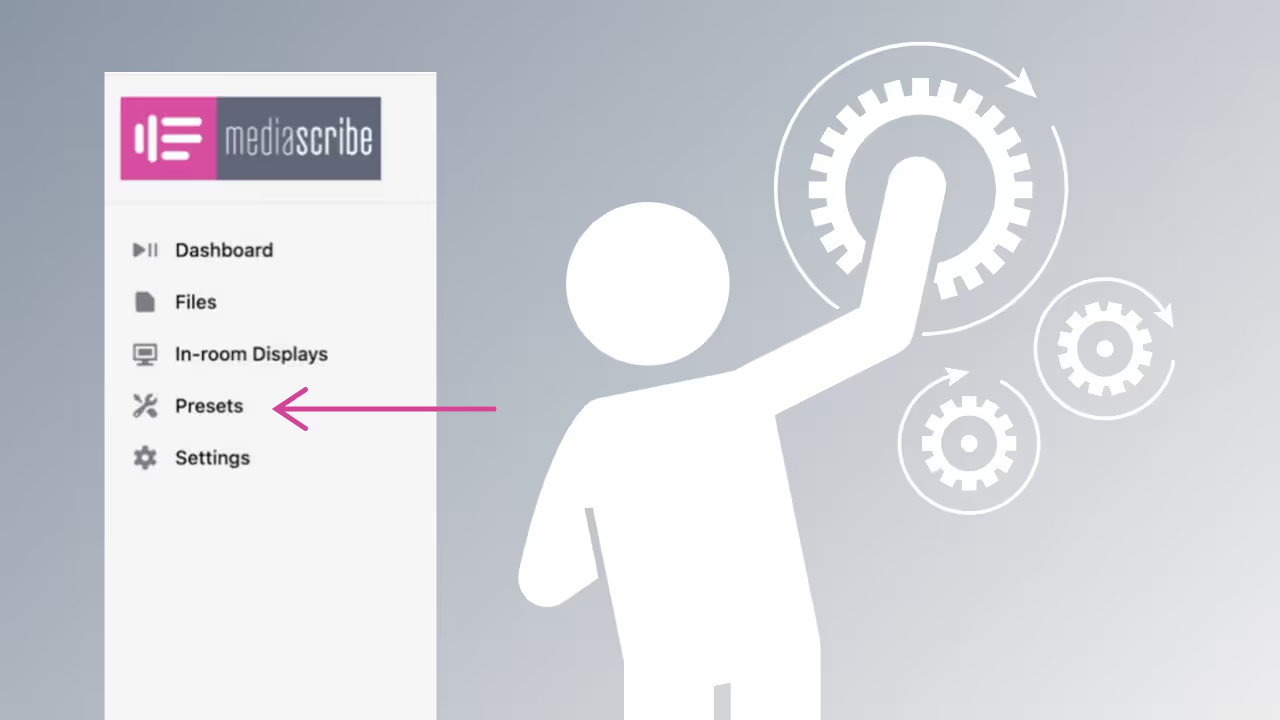
Configuration Presets
Not all meetings are the same. Store different configurations of IO’s and languages so operators can easily switch between meeting types without having to worry about all the technical details.
Gateway Appliance
With flexible IO's, the MedisScibe gateway appliance fits into your current workflow.
- Input
- SDI
- Output
- 3 configurable SDI outputs
- SDI output types
- Closed captions
- Open captions
- In-room captions
- Network
- Gigabit Ethernet
- Dimensions
- 2RU
.avif)
How MediaScribe Connects
A MediaScribe appliance serves as the interface between the physical IOs in your facility and the MediaScribe cloud service. This appliance is included as a part of your MediaScribe subscription.